

Trusted by:
University of Southern California
Warner Bros.
Volvo
Amazon
Stanford University
Updated: March 04, 2026
8 min read
With Badgr now part of Canvas Credentials and transitioning to Parchment Digital Badges, educators can still issue digital badges – but under a new model. How does it perform now, and are there better alternatives?
Research with AI:
Badgr has recently transitioned under the Canvas ecosystem and is now moving toward Parchment Digital Badges, marking another significant shift in the educational credentialing space.
If you're involved in education and use the Canvas learning management system (LMS), you might be curious about what this change means for you and how it compares to other digital badge platforms like Certifier.
We’ve looked into how Badgr – now operating as Parchment Digital Badges ecosystem – stacks up against its rivals. We'll explore user reviews, check Badgr pricing, and discuss its features.
Can Badgr Canvas live up to its hype in this new setup? (We already know the answer.)
Want to see how other platforms handle both digital badges and certificates? Visit our Certifier alternatives overview. It’s a side-by-side look at leading tools that can help you understand where Badgr stands in the wider credentialing landscape.

Badgr – now operating under Canvas Credentials and transitioning to Parchment Digital Badges – is a digital badge platform used widely in online education and learning. The tool gives you a simple way to issue and manage Badgr badges. Most people know it for the Badgr Backpack, which allows the storage all badges in one place.
If you're using a learning management system (LMS) like Canvas, you can integrate it with Badgr. It means that if you're handling courses or training through Badgr Canvas, you can directly issue credentials right within the platform.
Badgr didn’t disappear, it changed owners and names. After being acquired by Instructure, Badgr was rebranded as Canvas Badges/Canvas Credentials. In the next step of that transition, the same product is now being moved under Parchment Digital Badges.
So when people say “Badgr digital badges” today, they’re actually referring to a system that now lives inside the Canvas/Parchment environment. The core idea (issuing and managing digital badges) is still there, but the branding, access model, and pricing have shifted.
Below is a simple overview of what changed during the shift from Badgr to Parchment Digital Badges:
What Changed | Earlier Version Badgr And Canvas Badges | Current Version Parchment Digital Badges |
|---|---|---|
Product name | Badgr rebranded as Canvas Badges | Now moved under Parchment Digital Badges |
Pricing | Free issuing available | Free plan discontinued; paid subscription required |
Templates | 1 badge template | 9 badge templates |
Automation | Only module completion triggers | Triggers based on modules, assignments, grades, evidence |
Branding | Minimal customization | Custom pages, language settings, white label (paid) |
Account access | Anyone could create a free issuer | New free issuers blocked; all free issuing ends Dec 31, 2025 |
Data export | CSV export available | Export disabled for free accounts after Dec 31, 2025 |
Badgr is a solid choice for users who already using learning systems. It syncs up nicely with Badgr Canvas (now Canvas Badges/Canvas Credentials, and soon Parchment Digital Badges), allowing instructors to award badges directly based on course activity. This made it convenient for simple, LMS-embedded workflows.
However, the platform shows its age, especially now that it’s transitioning into an enterprise product.
Setting up and creating Badgr badges as an issuer is a bit complicated, which might scare off people who prefer a smoother start. For example, while Badgr lets you upload your own badge designs, the tool doesn’t provide a badge editor to create them. The same applies to digital badge templates. So, if you’re looking for customization, this might feel limiting as well.
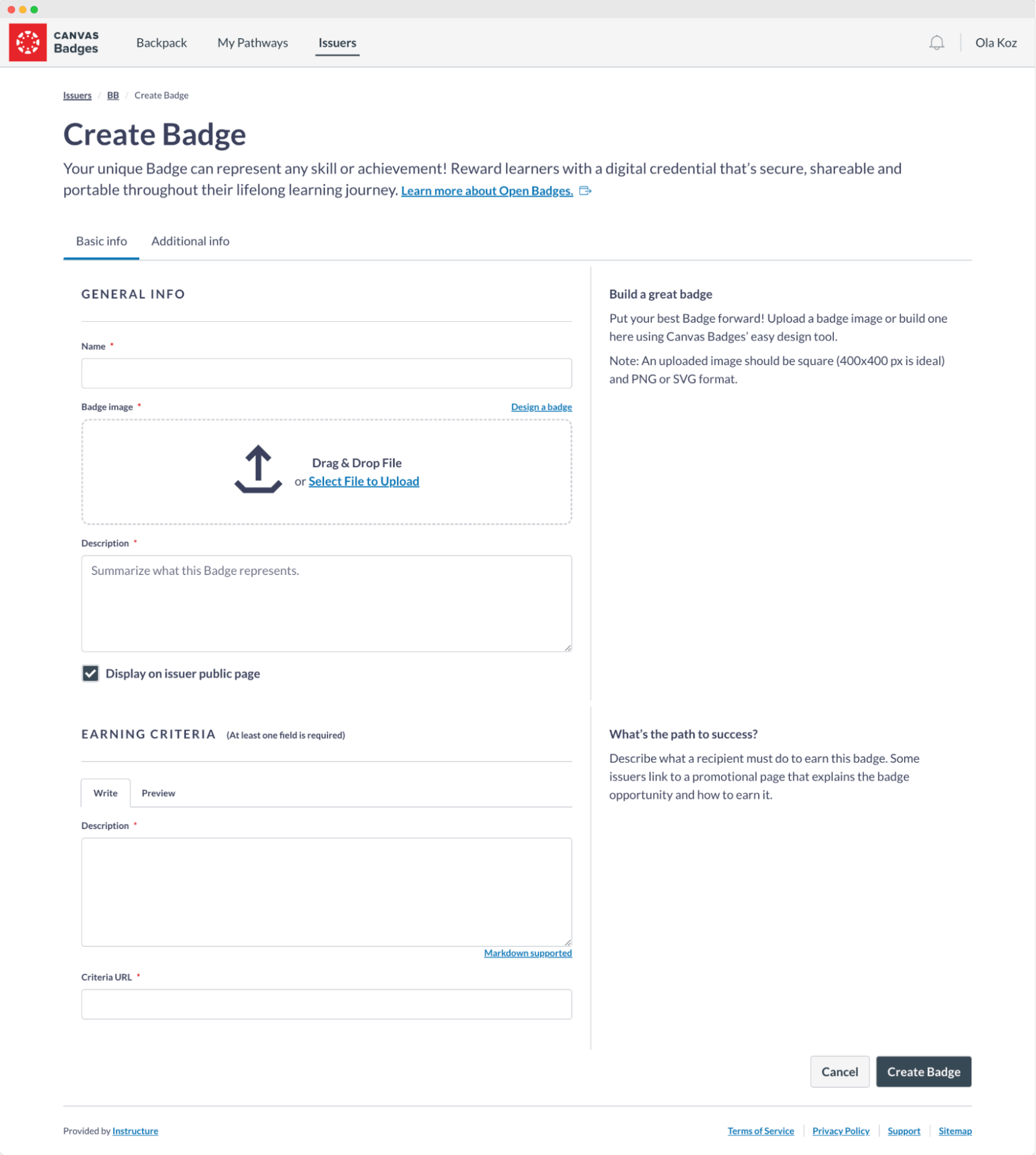
The badge creation process in Badgr
It's worth noting that once Badgr badges are distributed, Badgr doesn't follow up (which can be a letdown if you're looking for a more robust post-distribution experience). There's no follow-up with the badge earners, no automated emails or updates and no analytics on how badges are doing out.
Also, badge earners need to sign up for an account just to claim their badges. This extra step could be a hassle for some and might negatively impact credential engagement (side note: it might be overwhelming for recipients to take so many steps, e.g., share LinkedIn badges).
To sum up, within Badgr features, you won't find such options as:

No badge editor and ready-made templates
No personalized emails
No detailed analytics
No digital wallet to track badge status
No ability to access the badge without the Badgr account
But to keep things clear – Badgr does have some fine features like the Badgr Backpack. This is a place where users can keep all their badges, no matter who issued them. They can create badge collections and organize their credentials. The tool also supports uploading badges there, no matter if they are issued with Badgr or not.
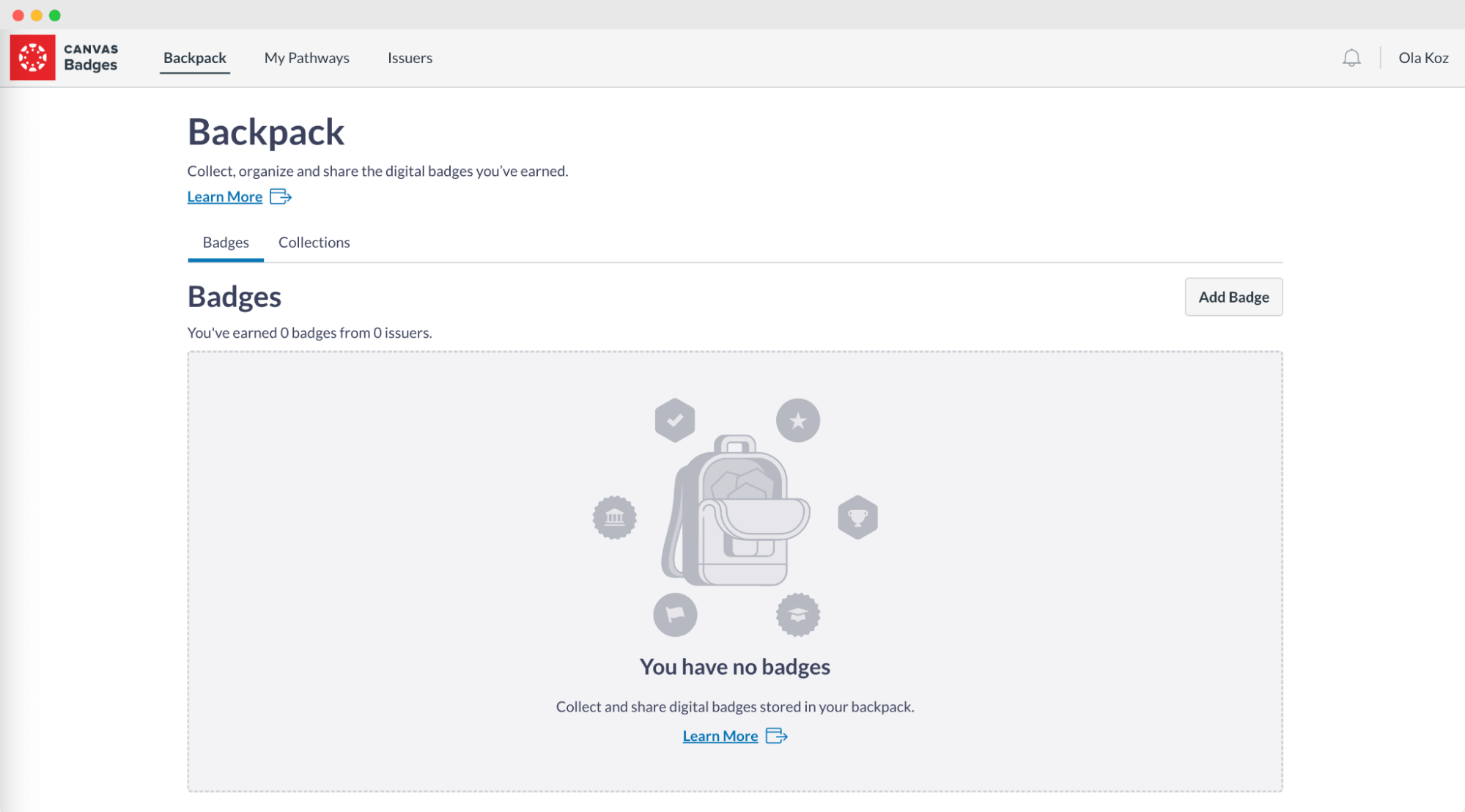
Badgr Backpack to organize earned badges
There’s also something called Badgr Pathways. These connect Badgr badges into achievement journeys showing off the whole path that the earner took to accomplish the particular credential. It's especially good for advanced credentialing programs that break up the main goal into smaller targets. Remember that to make it work, you'll need Canvas Credentials Badgr integration.
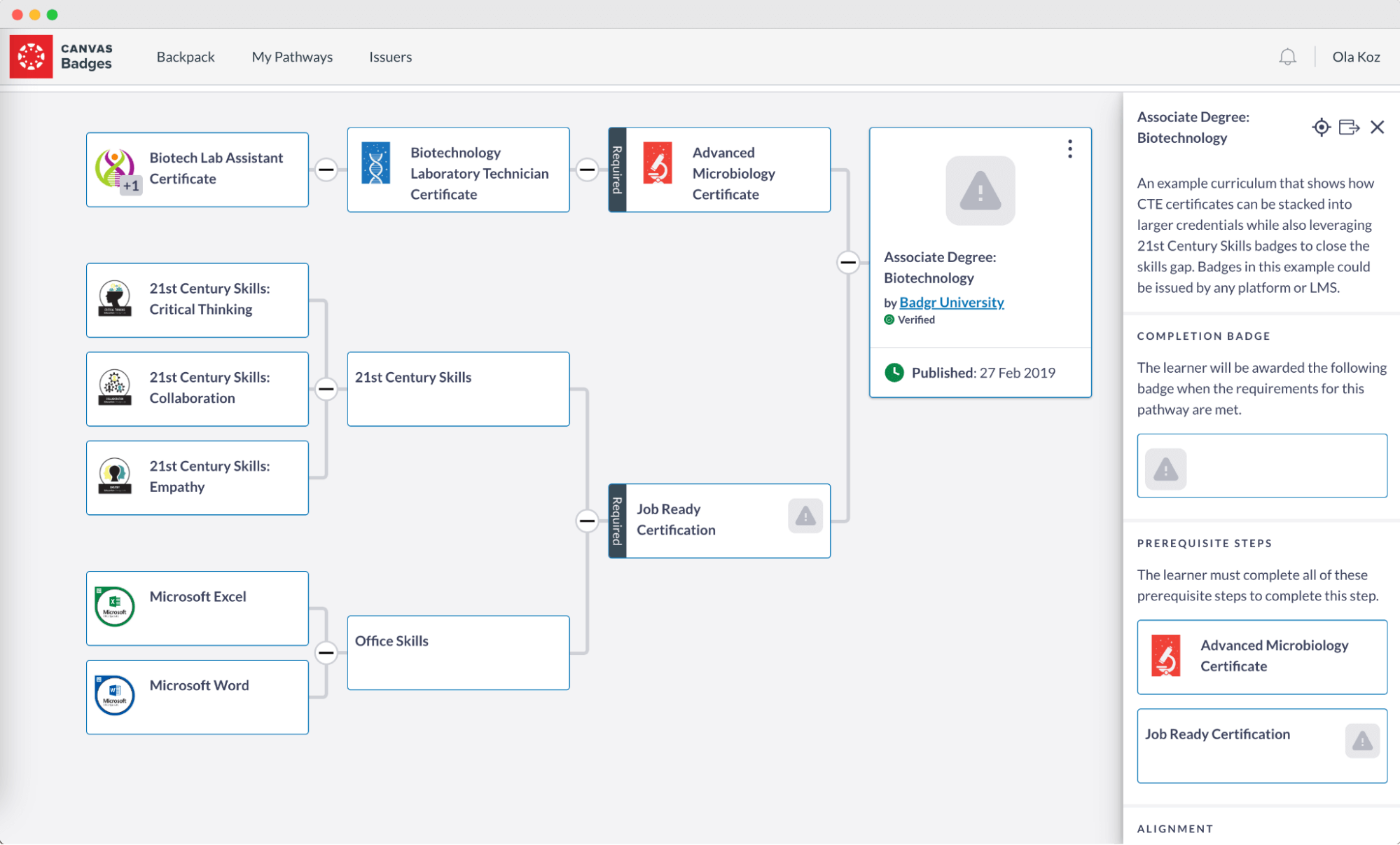
The example of Badgr Pathway
It seems there's a bit of a mystery around this digital badge creator, as there are surprisingly few Badgr reviews available online. If you're trying to dig up user opinions and experiences, you might find the search a bit challenging. This scarcity of feedback makes it harder to evaluate how well Badgr meets the needs of its users from a broad perspective.
We’ve managed to find just two Badgr reviews on one of the major review platforms that do not show the tool in the best light.
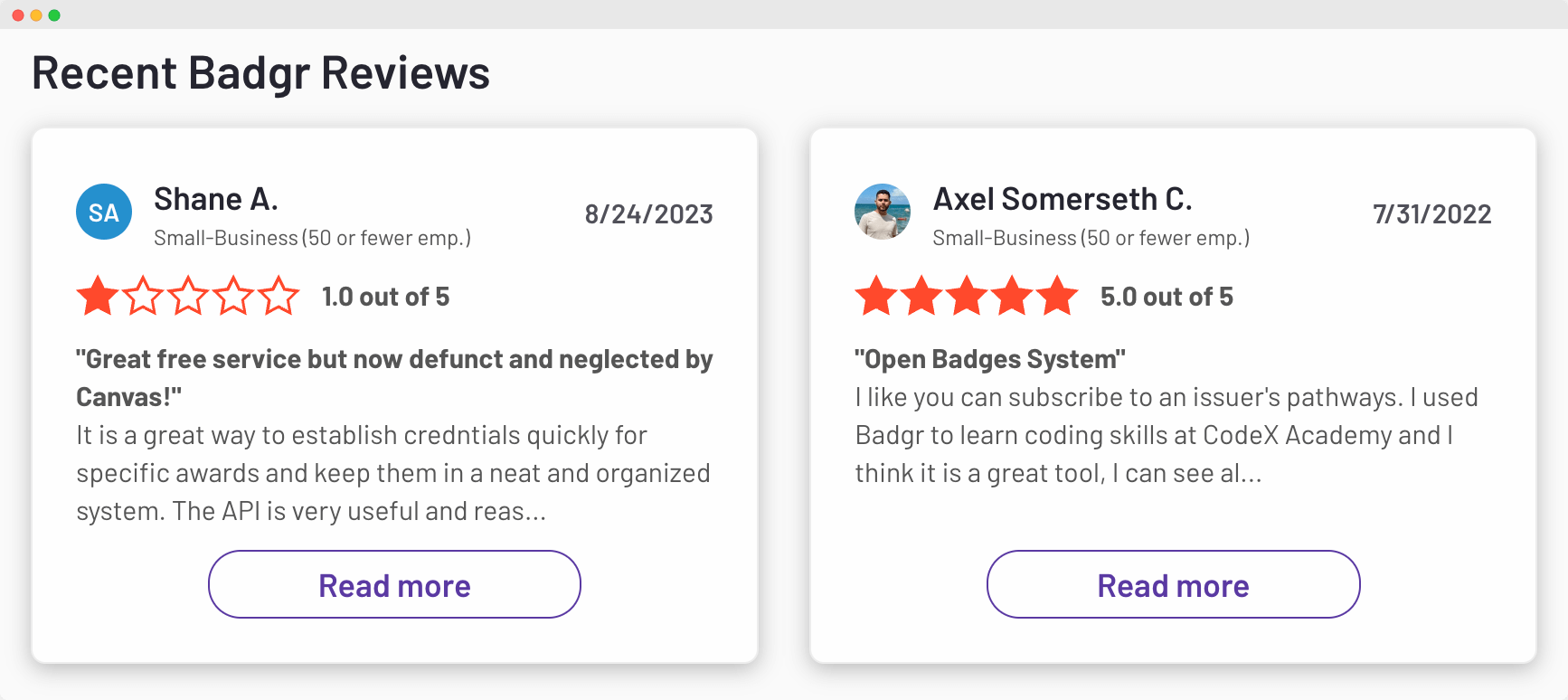
Recent Badgr reviews available on G2 (Source)

Badgr Backpack to store and organize all Badgr badges
Badgr Pathways to create a structured sequence that maps out a learners journey and achievements
Integration with Canvas Credentials to enable a coherent learning experience
CSV export of all badges
Badgr is best suited for educators, organizations, and e-learning platforms looking to issue and manage digital badges, especially those who already use systems like Canvas for their courses.
Please note: While Badgr does a good job at the basics, it misses the mark on making things more engaging after the badges are published. If you're looking for a tool that takes care of the post-distribution experience (that is super important to keep learners loyal), with lots of creative options, you won’t find them within the Badgr tool.
Speaking of costs, Badgr pricing no longer works the way it used to. While Badgr was once wallet-friendly for basic issuing, the free model is now being phased out under Canvas Credentials and the new Parchment Digital Badges branding.
Free issuer accounts stop on June 30, 2025, and all free issuing fully ends on December 31, 2025. After that, continuing to issue Badgr digital badges requires upgrading to Parchment’s quote-based enterprise plan.
Previously, the free plan allowed unlimited badge issuing, LMS integrations (like Canvas and Blackboard), Microsoft Teams, Zapier, and unrestricted badge storage. But these benefits won’t remain available once the free tier is shut down.
Premium features that used to sit behind a paywall, including:

skills alignment
unlimited learning pathways
bulk awards
white-label branding
advanced awarding options
customizable data fields
verified badge issuer account
Are now accessible only through Parchment’s paid licensing, and pricing for these features is not published publicly. This lack of transparency makes budgeting and comparing Badgr pricing to alternatives more difficult for organizations.
Certifier badge maker – it's like Badgr but far more powerful. With Certifier, you're not just uploading a badge image, you're creating one from the library of elements or using cool templates right in the system. No extra tools are needed here!
You can use the drag-and-drop badge creation tool to design a badge that meets all your needs. It’s super easy to use and master. Unlike Badgr, Certifier allows you to customize every badge corner – from fonts to colors and badge shapes.
Curious how these platforms stack up head-to-head? While Badgr moves deeper into the enterprise environment, Certifier focuses on providing an agile, design-first experience. You can see the full feature-by-feature breakdown in our Parchment Digital Badges (formerly Badgr) vs. Certifier comparison.
Certifier also provides components that help level the professional badges and create them according to, e.g., course level. You can also use attributes to generate personalized data like badge expiration date.
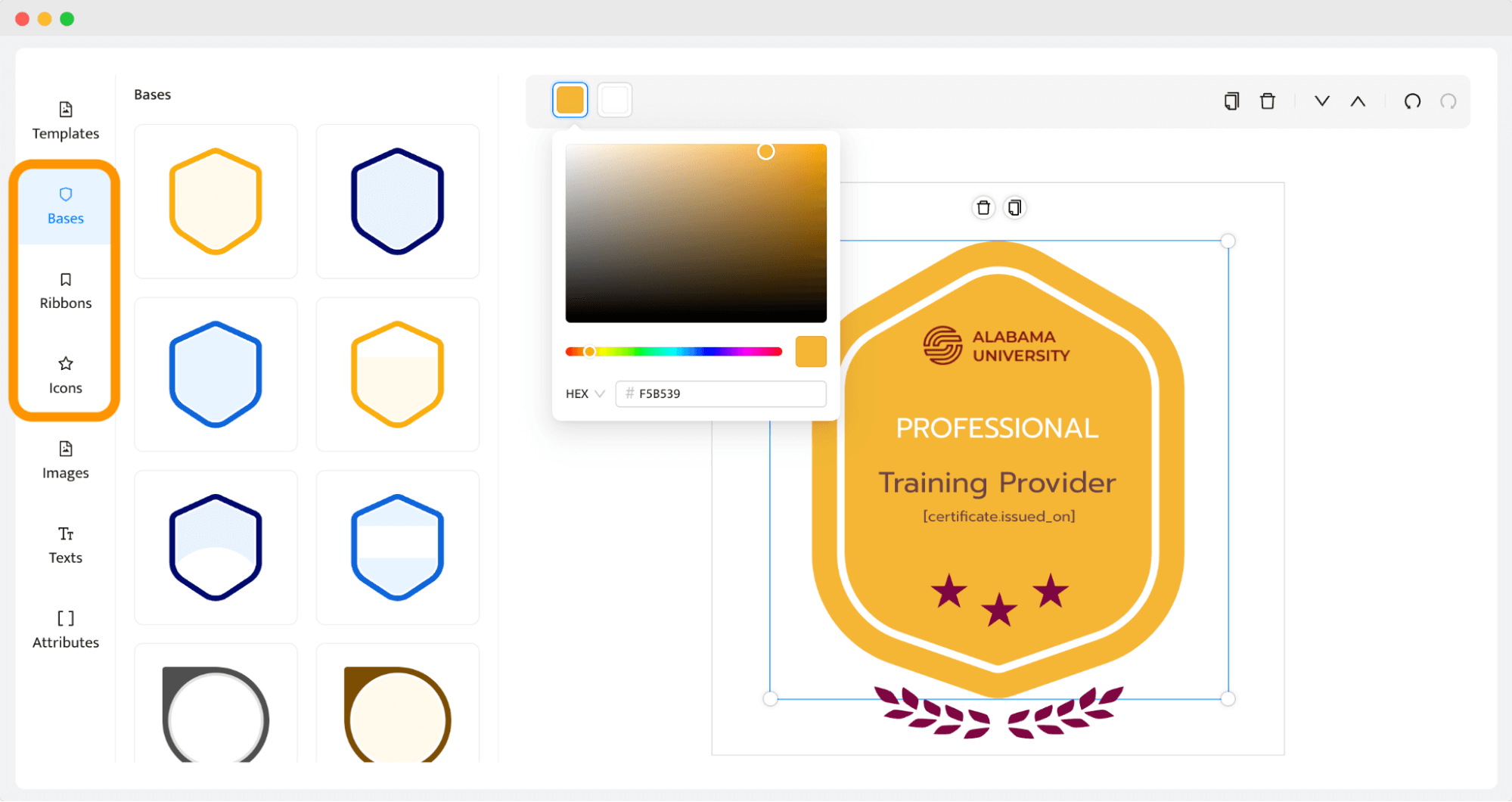
Certifier Badge alternative with drag-and-drop editor
What really sets Certifier apart is how it keeps the buzz going after the badge is out. It’s the tool that automates sending personalized emails and gives recipients direct access to an SSL-protected digital wallet to show off their achievements.
Create and Send Digital CredentialsStart issuing certificates and badges in minutes.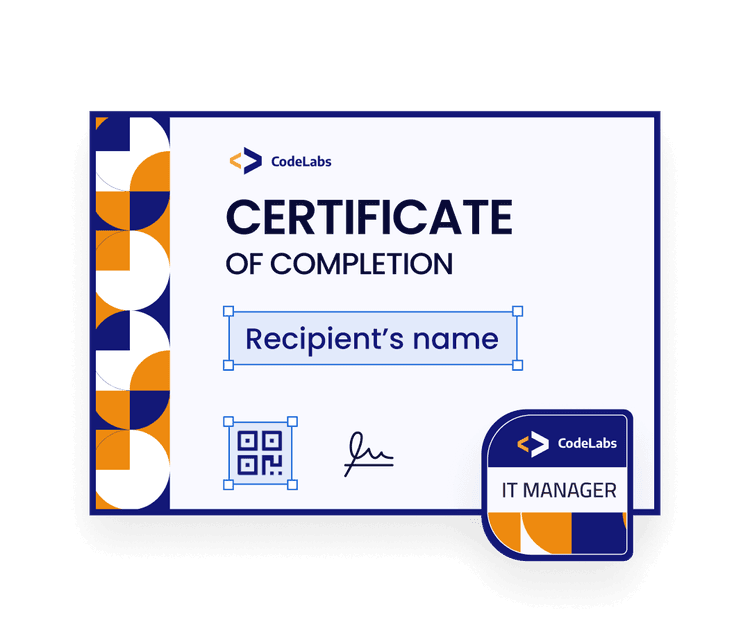
The digital wallet is a place from which recipients can share, download, and verify the credential (without creating an account!). They can even report a typo or mistake from the fully customizable dashboard. It's these little extras that make Certifier a standout choice, offering a richer engagement for everyone involved.
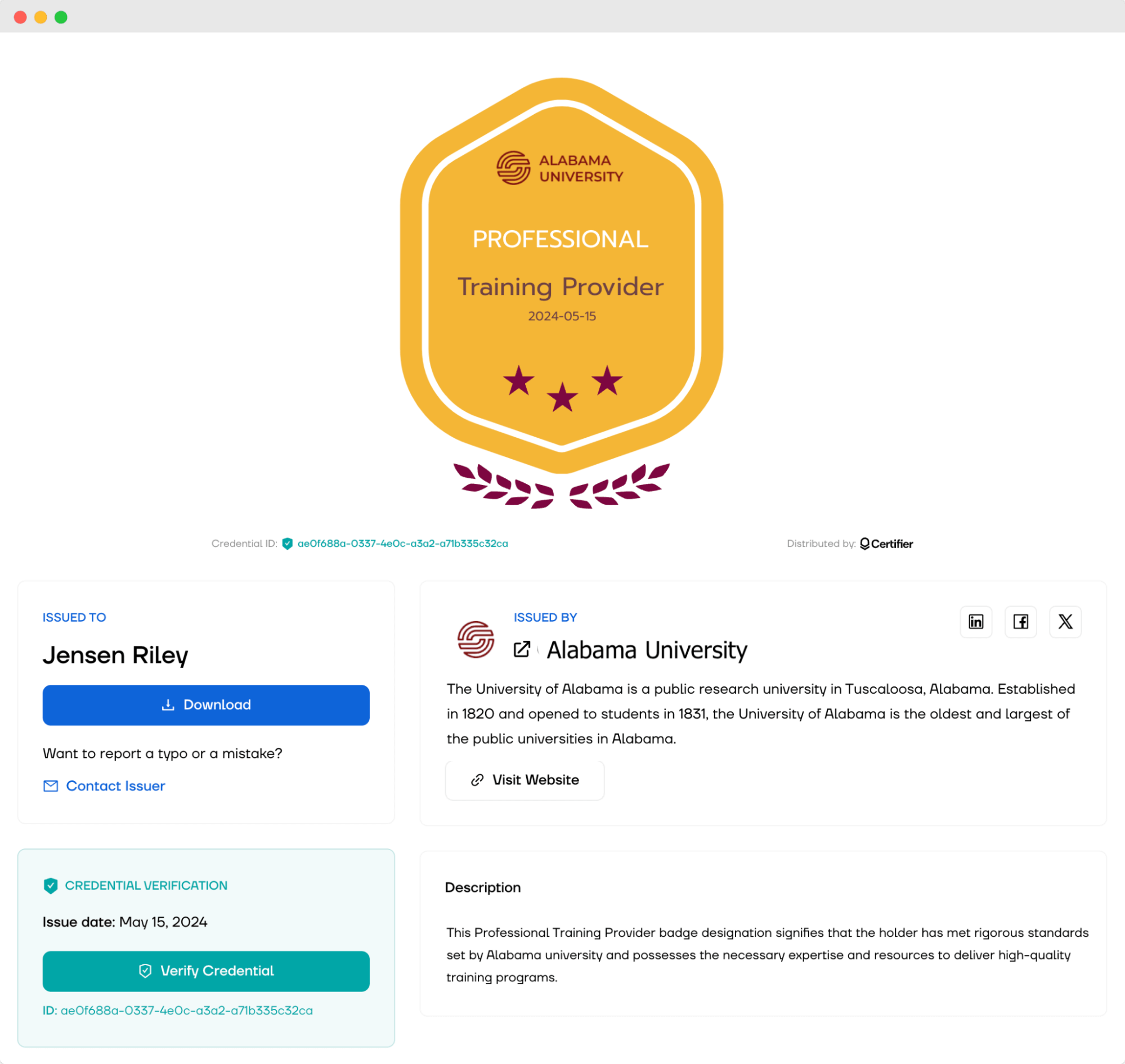 Certifier Digital Wallet as an alternative to Badgr Backpack
Certifier steps in as a more complete package. It's designed not just to manage but to enrich the whole course experience. It’s the tool that provides many options to reengage students. Among them is the credential management dashboard that provides a view into the badge performance and status to react if, e.g., someone's email was bounced or the recipient hasn’t opened the credential yet.
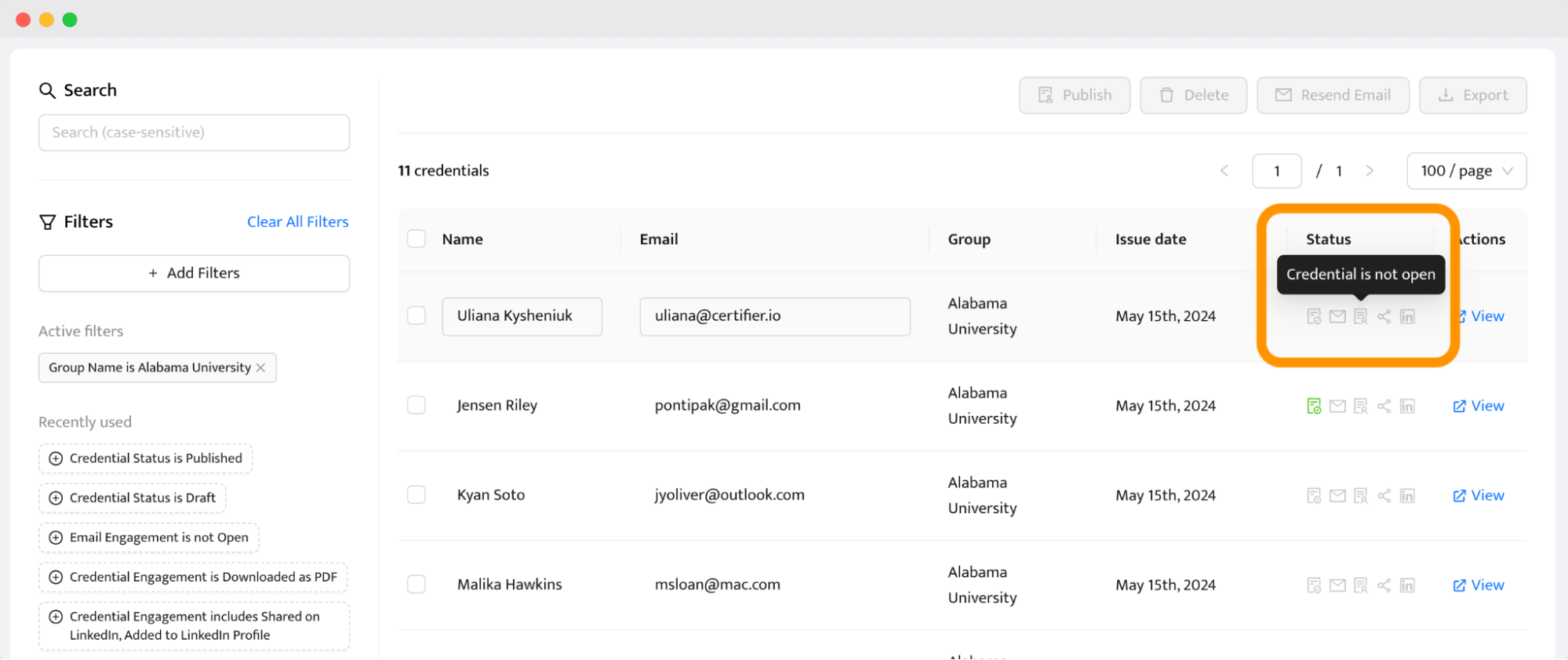
Certifier badge management dashboard
The tool also provides the option to resend badges directly to the recipient email address, all of that without manually entering their data (you can use an Excel or Google Sheets file to automatically generate personalized badges for each recipient).
Certifier integrates with LMS systems, so badges can be issued automatically the moment a learner finishes a course. Set it up once, and you don’t have to lift a finger ever again to make it happen.
If you're all about offering a memorable and interactive credentialing process, then Certifier could be just what you need.
Select the perfect plan for your needs. You can upgrade anytime.
Do you want to see Certifier in action? Watch this quick tutorial to see how easy it is to create badges with the Certifier Badgr alternative:
It's always wise to explore other Badgr alternatives to find the tool that best fits your needs. Let's take a look at some other options for Badgr that are also making waves in the digital credentialing space.
Credly is another platform that pops up when you're looking around for alternatives to Badgr. It's got a lot going for it, especially if you're into getting detailed data about how your badges are performing. The user interface on Credly is clean and easy to navigate, which is a breath of fresh air if you've ever gotten lost in the maze of more complicated platforms.
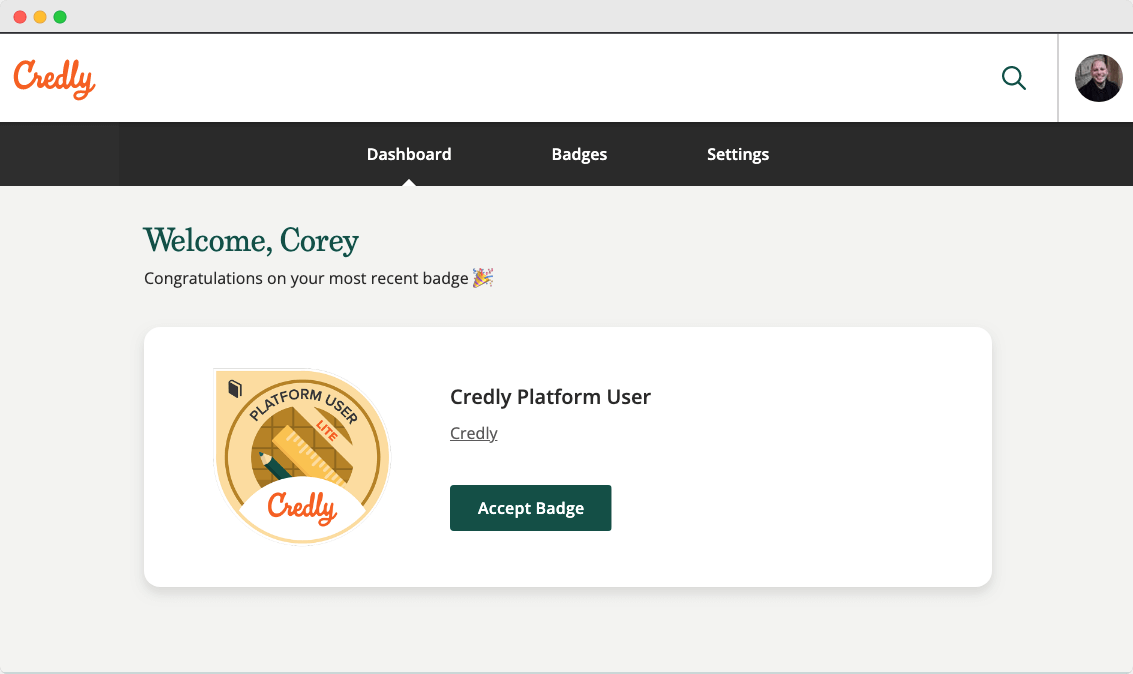
Credly badge recipient view
But here’s the kicker: all these cool features come with a price tag that might make you blink twice. Credly pricing is on the expensive side, especially when you start comparing it to other options out there, like Certifier. For some, the cost might be a dealbreaker, especially if you're trying to keep your budget tight but still want a robust digital badging system.
Accredible might seem like a promising choice for a Badgr alternative, with its robust customization options letting you tweak everything from badge appearances to data fields. It’s definitely geared towards those who like having control and enjoy fine-tuning details.
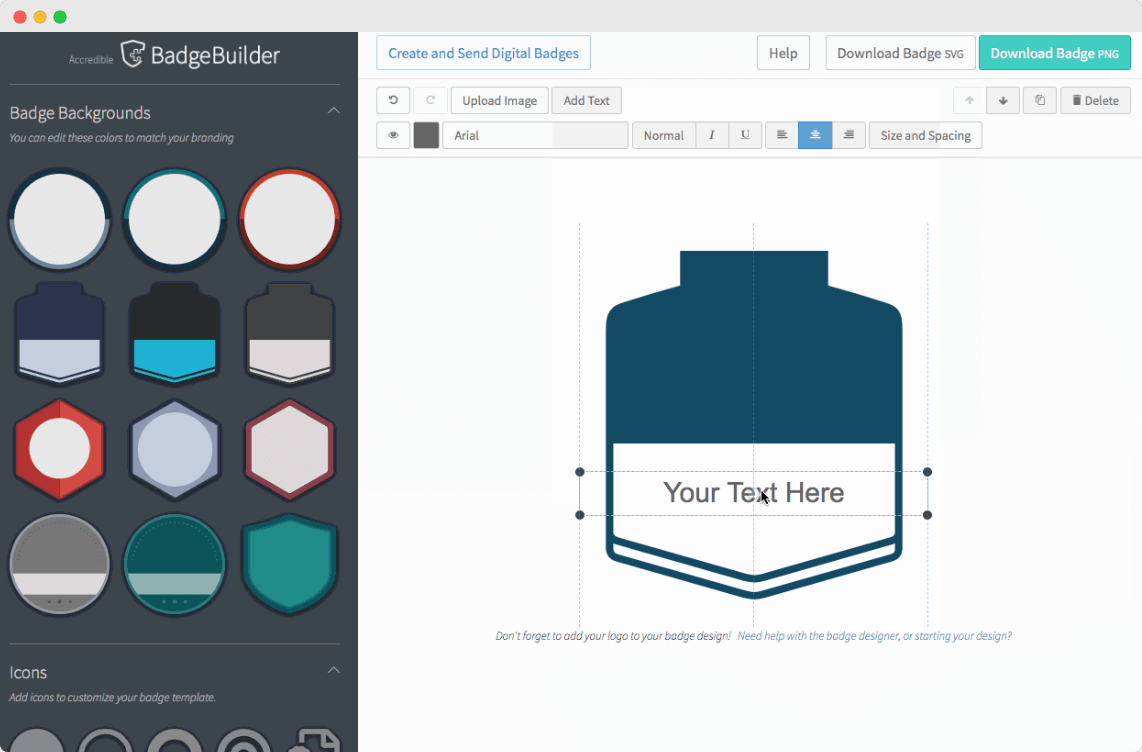
Accredible badge builder
However, getting started can be a bit daunting. The interface, while clean, packs a lot of features that can overwhelm new users. You might need to spend a good chunk of time with their tutorials before you're ready to issue your first badge. And template library leaves much to be desired.
Do you want to learn more about both tools? Here’s the battle – Accredible vs. Credly. Find out which of these Badgr alternatives best suits your needs.
Sertifier presents itself as a streamlined badge tool, ideally suited for educational settings. Yet, for those familiar with Badgr and its integration capabilities like Canvas Credentials Badgr, it might not be the deal-breaker.
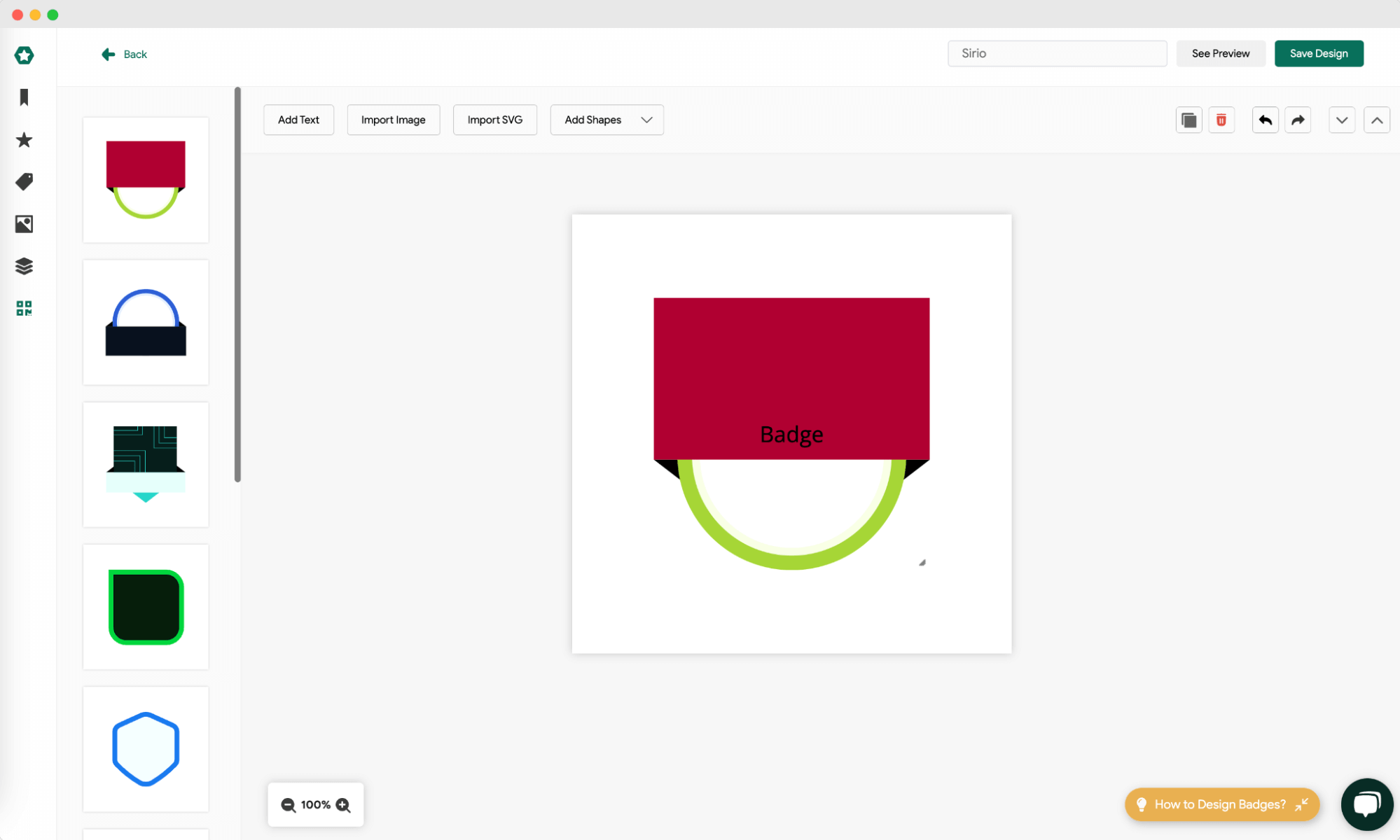
Sertifier Badgr alternative
On the plus side, Sertifier boasts strong security features and offers some customization in branding and detailed analytics (not such advanced as Certifier, though). Those are the features you won't find in Badgr.
But if you ask, "What is Badgr?" and compare it to Sertifier, the answer is that Badgr still offers more complete features for the educational sector.
Create and Send Digital CredentialsStart issuing certificates and badges in minutes.
Badgr can still work for organizations already using Canvas, especially if they only need basic LMS-connected issuing. It remains a familiar way to create and deliver Badgr badges inside a course environment.
But with the platform now transitioning into Parchment Digital Badges and the free issuing model ending, Badgr may fall short for course providers who need easy badge creation, strong branding options, analytics, or a smooth experience for learners. If you want a Badgr alternative that supports the entire credentialing journey, from designing badges to sending them, tracking performance, and helping learners share their achievements, Certifier is a modern solution built for that full experience.
Sign up for free to see how Certifier compares to Badgr in practice. The platform offers powerful features, simple badge creation, and a much more engaging experience for both educators and learners.
Got questions about Badgr? You're in the right place! Below, we've gathered some of the most frequently asked questions to help you better understand how Badgr works, what it offers, and how it could fit into your digital credentialing needs.

Content designer. At Certifier, Ola crafts user-friendly content that makes complex information easy to grasp.


 Most popular