

Trusted by:
University of Southern California
Warner Bros.
Volvo
Amazon
Stanford University
Updated: October 19, 2026
20 min read
Are you running a Kajabi course? Imagine automatically delivering a top-tier Kajabi certificate of completion. This guide shows how Kajabi handles certificates and how Certifier provides a better way to design, automate and deliver them at scale.
Research with AI:
You’ve built your Kajabi course. You’ve mapped the modules, uploaded the videos and set the assessments. But there’s one final step to take—delivering the Kajabi certificate of completion.
Most Kajabi creators try to issue certificates through manual emails, PDF downloads or complicated workarounds. But none of these methods scale or look great.
In this article, we will discuss three possible ways to send a Kajabi certificate of completion: through Kajabi’s built-in options, Zapier automation, and the simplest approach - via Certifier-Kajabi native integration. Let's explore them one by one!
Kajabi offers a built-in certificate feature, but it’s limited in design and layout options.
Create branded certificates with Certifier and automate delivery. Use the native Kajabi integration to issue on course completion, or Zapier to issue on assessments and other events.
Every certificate comes with a digital wallet for easy sharing, tracking and long-term access by your Kajabi students.

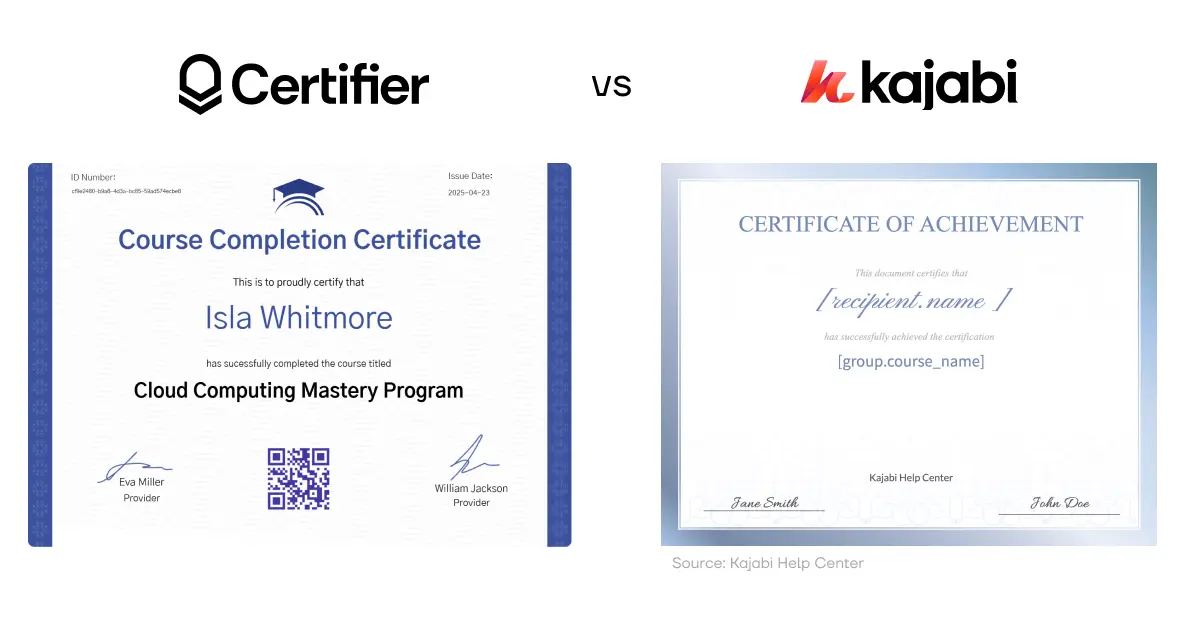
The standard template from the Kajabi editor looks plain and leaves almost no room for customization. Fonts, colors and layouts stay fixed, so the result feels generic—hardly the finish you want for a premium learning experience.
The Certifier version tells a different story. You pick a template, drop in your colors and logo and send a credential that looks and feels like a natural extension of your brand. Better yet, the process takes minutes.
 Why Certifier stands out:

White-label credentialing—choose from a broad gallery and match branding.
Automated email delivery—send certificates right after a learner passes an assessment or completes a course.
One-click share to LinkedIn—every certificate sits in a digital wallet, ready for public proof of achievement.
Renewal reminders—set expiry dates and trigger alerts so learners can keep credentials current.
Ready to see how quick the setup can be? Jump right into the quick tutorial.
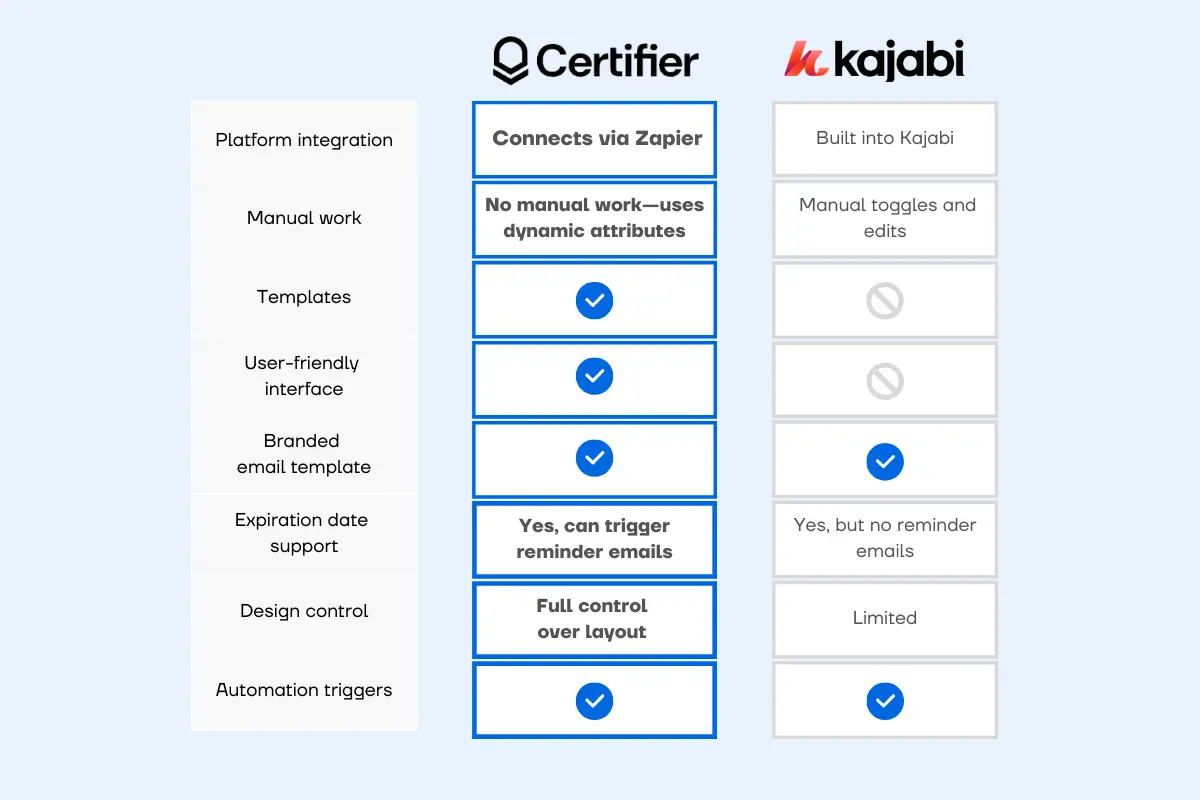
To get a better understanding of both methods, let's first take a look at them at a glance.
Kajabi makes it possible to send certificates of completion through a built-in certificate feature. You can turn it on in your Kajabi course creation settings.
However, the core layout and structure of the Kajabi certificate of completion remain fixed. While you can change text fields, images, and background, you cannot fundamentally alter the arrangement of elements or choose from multiple layout templates within Kajabi itself. There is essentially only one certificate design, with limited options for visual customization.
To issue certificates using Kajabi built-in tools, follow these steps:
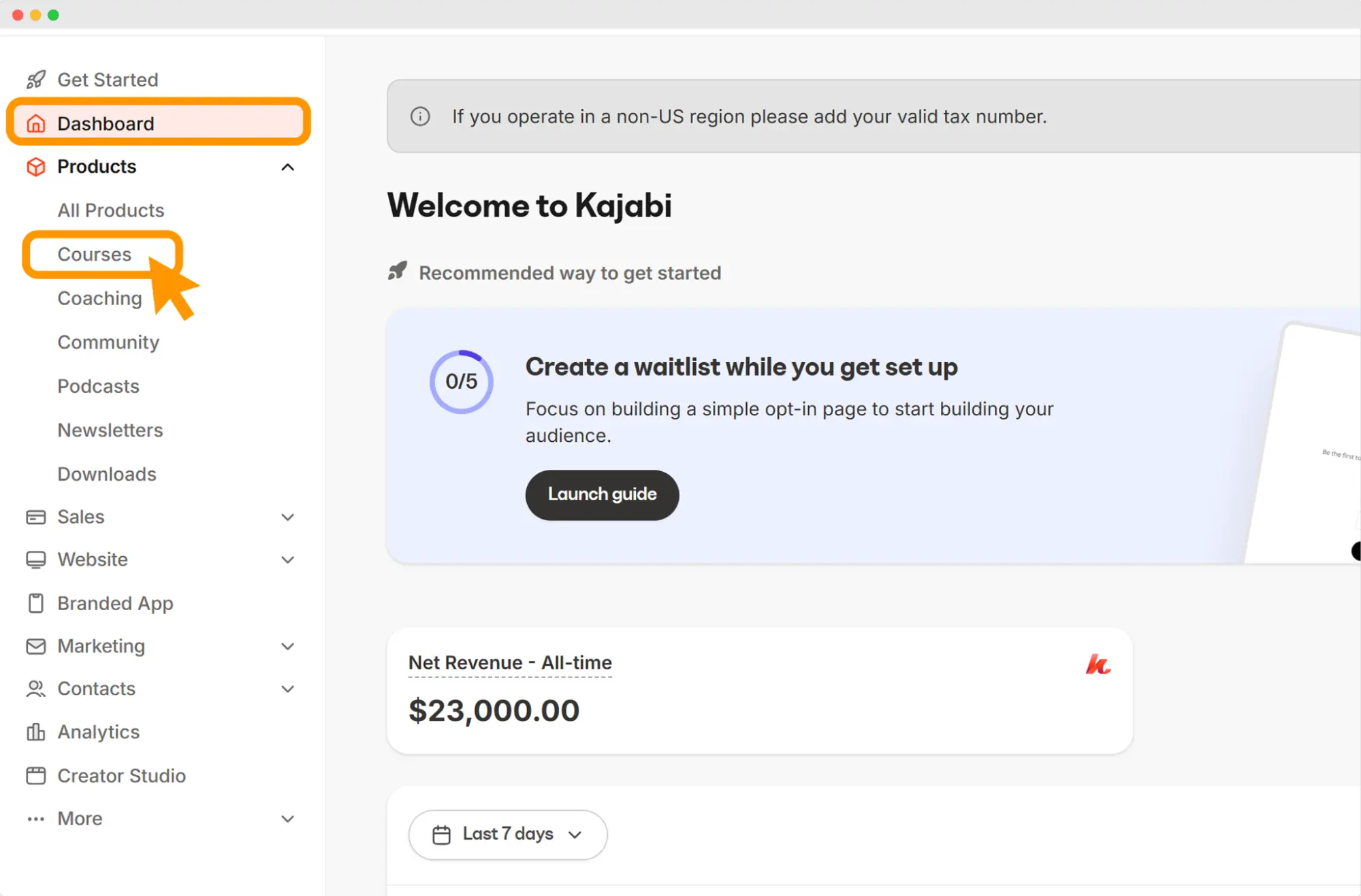
Head to the Products tab in your Kajabi dashboard. Pick the course you want to issue a certificate for. This works for all Kajabi courses, including mini-courses, coaching and full programs.
Once inside your course product, you’ll see tabs like Outline, Customize, Offers, Customers, Certificates and Settings. Click Certificates.
Flip the switch that says “Provide certificates for this course.” This allows Kajabi to track when a student completes 100% of the course—and automatically send the certificate upon completion.
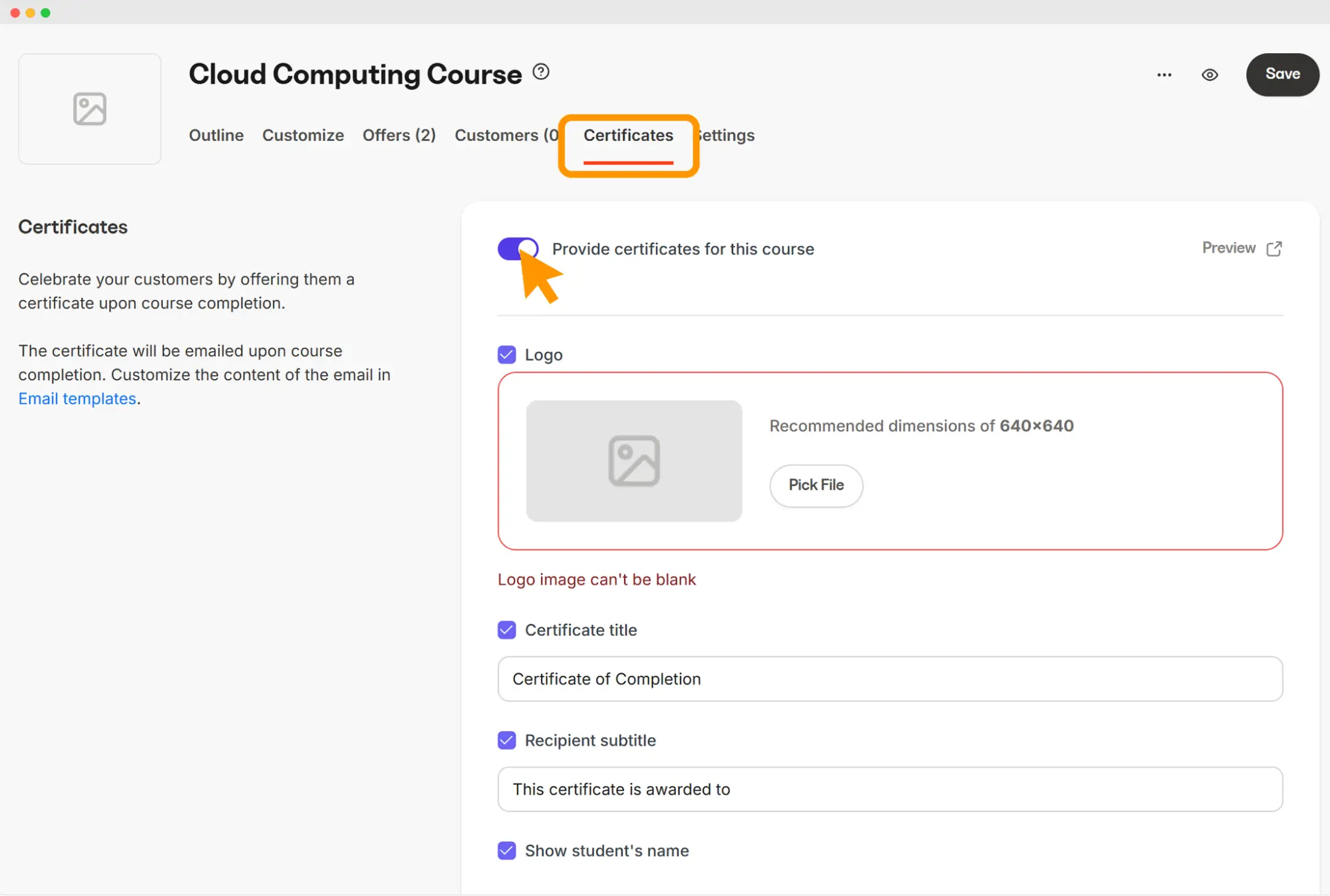
Kajabi gives you a few fields to adjust:

Title: “Certificate of Completion” or a custom phrase
Subtitle: Add a line like “For successfully completing this online course”
Recipient line: Kajabi fills in the student’s name automatically
Course title: Kajabi automatically pulls the information for this field from your existing product title
Optionally, you can add the course completion date, certificate serial number or set an expiration date (if your course requires renewal). All these are available as toggles in the certificate customization tab.
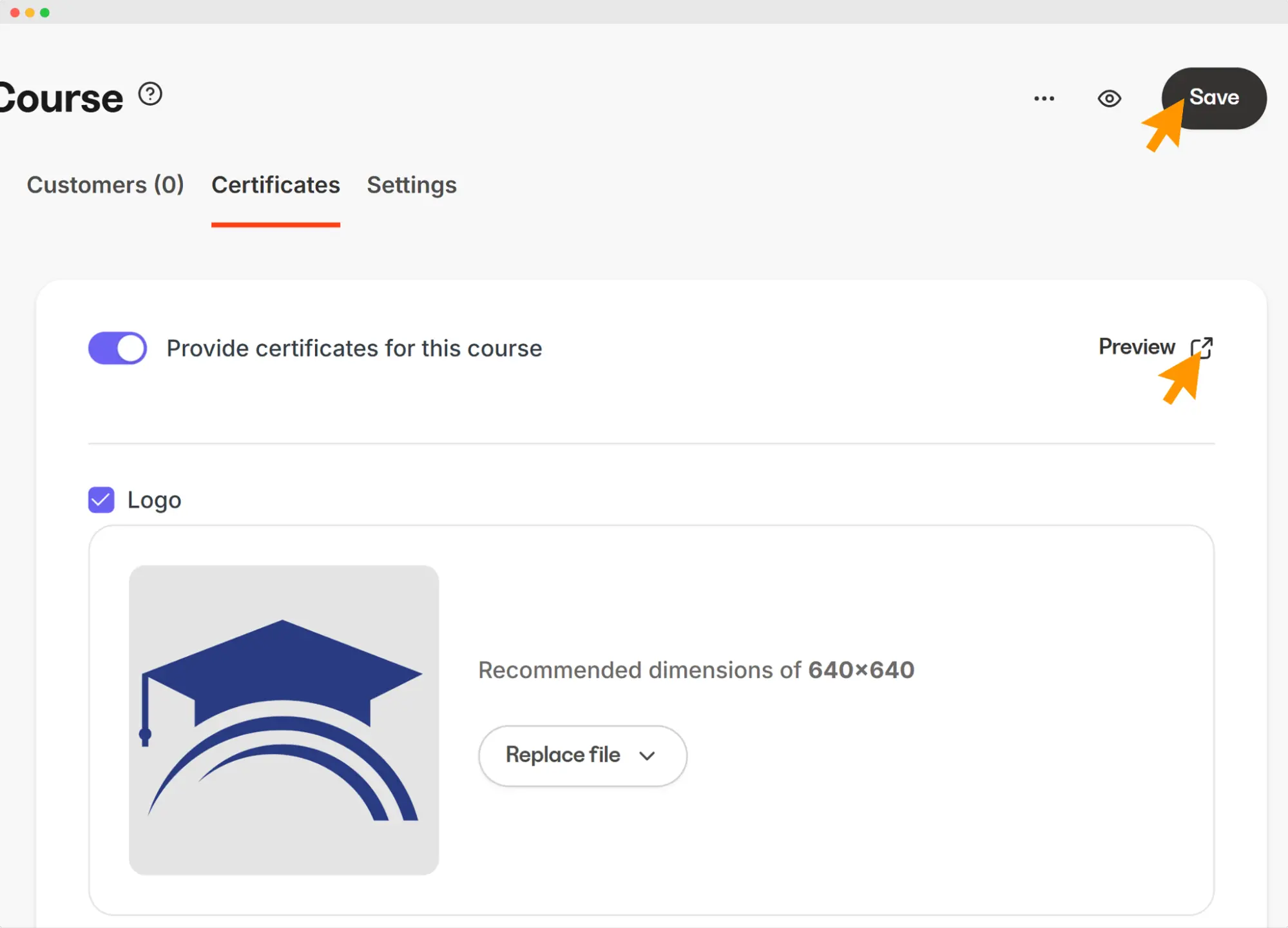
If you’re looking to turn your course certificate into a branded experience for learners, Kajabi lets you upload a custom logo. The recommended size is 640x640 px.
Tip: Use something simple like a favicon if your logo doesn’t scale well at small sizes.
Once you upload the logo, click Save. It preserves all the settings you made with Kajabi advanced automations. At this point, you can also use the Preview option to see how your Kajabi certificate of completion comes together—and tweak its elements if needed.
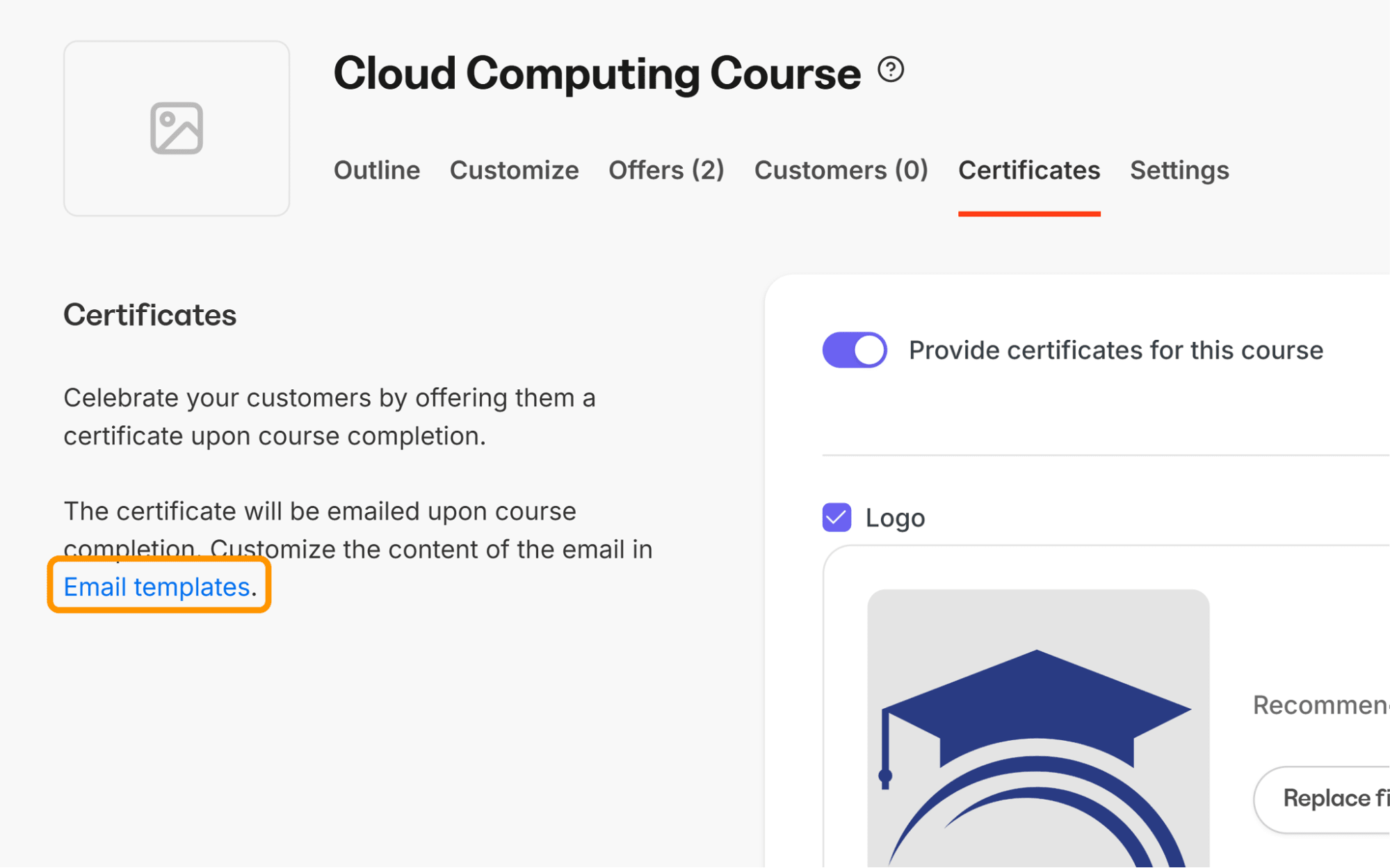
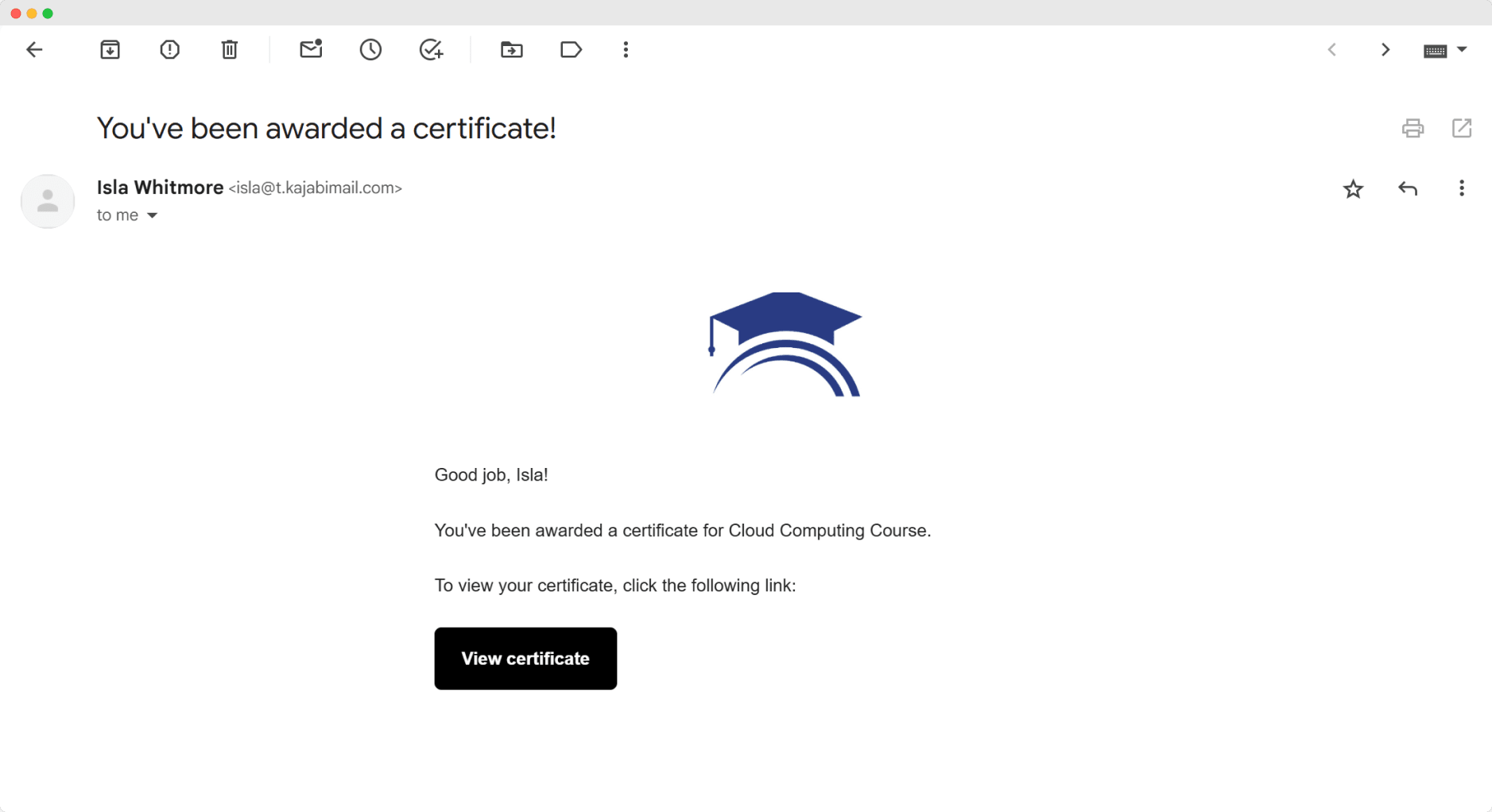
Kajabi will send an automated email to the student when they finish the course. To edit the email template for sending a certificate of completion, select Email Templates in the Certificates tab.
You can:
Use a pre-filled email template for sending a certificate of completion
Customize the subject line and body text
Use liquid tags like {{member.full_name}} or {{product.title}} to personalize the message
Click Preview or send a test email before saving
Select Save. Then click on the eye icon to preview the final look of your certificate.

Native Kajabi-Certifier integration is one of the easiest ways to automatically issue and deliver your credentials straight from Kajabi, with no middleware in between. This integration works in a very simple way:
New course in Kajabi is completed → Certifier issues and sends the credential
Here’s how to do this step by step:
This integration issues credentials from a template, so you need to build that first. Log in to Certifier or sign up for a free account. Go to the Credential Templates tab and click Create Credential Template.
Give your template a name that matches your Kajabi course creation structure—or reuse an existing template if applicable. Then click + Create Certificate Design.

Choose a template from Certifier’s library of over 2,000 designs. Select one with clear space for:
Student name
Kajabi course title
Completion date
Issuer name or logo
Start editing the template to match your brand and Kajabi certification goals. Add your:
Organization name
Logo
Course type
Remove anything unnecessary. If your course includes Kajabi assessments, consider including this information on the certificate.
Certifier’s editor lets you fully control how your certificate reads. Use formal phrasing and clear formatting. Edit the text fields as you wish.
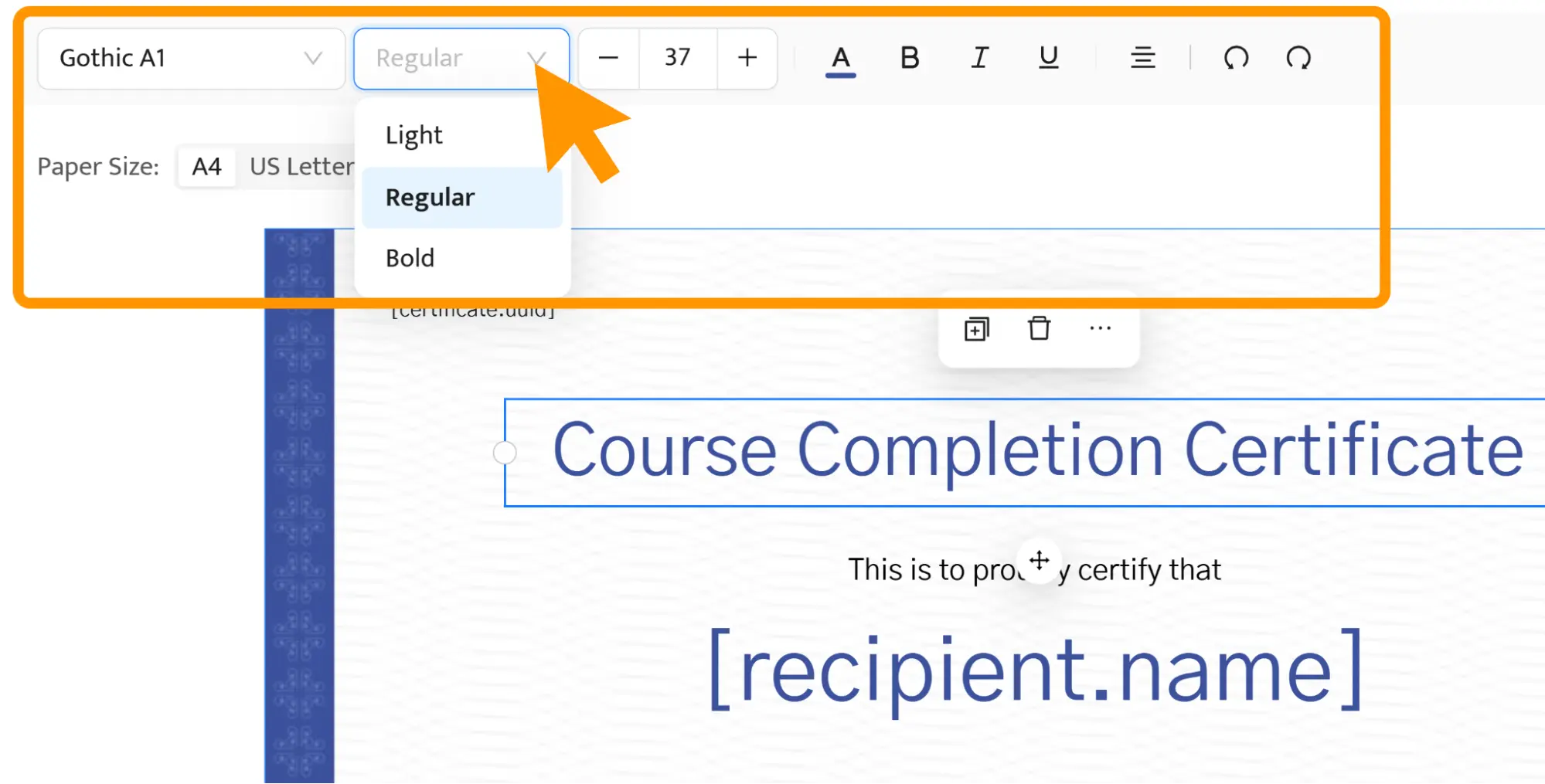
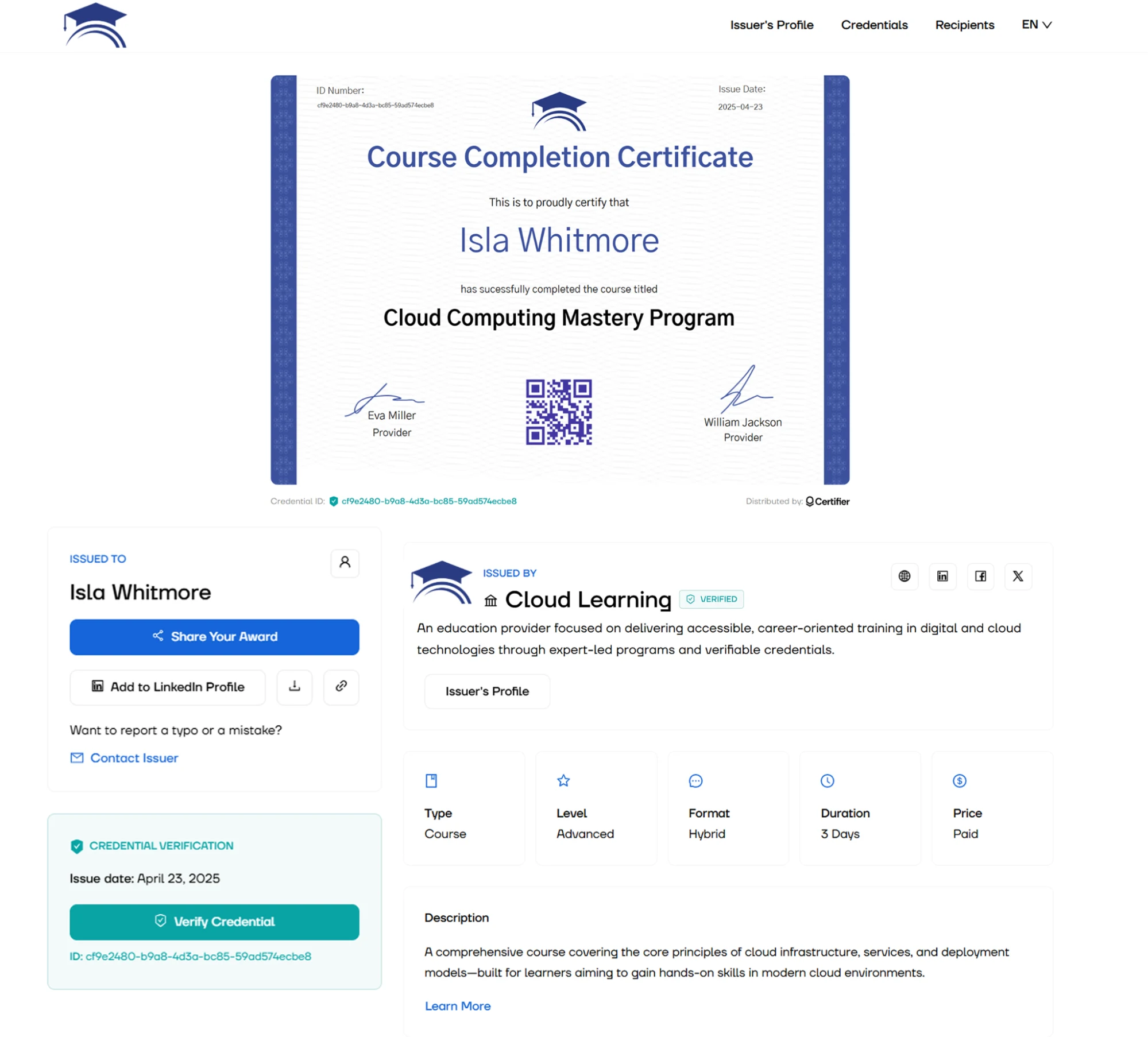
Insert signature fields, certificate ID numbers and QR codes. These add validation to your certificates. They are useful when learners share their credentials on LinkedIn or include them in their resumes.
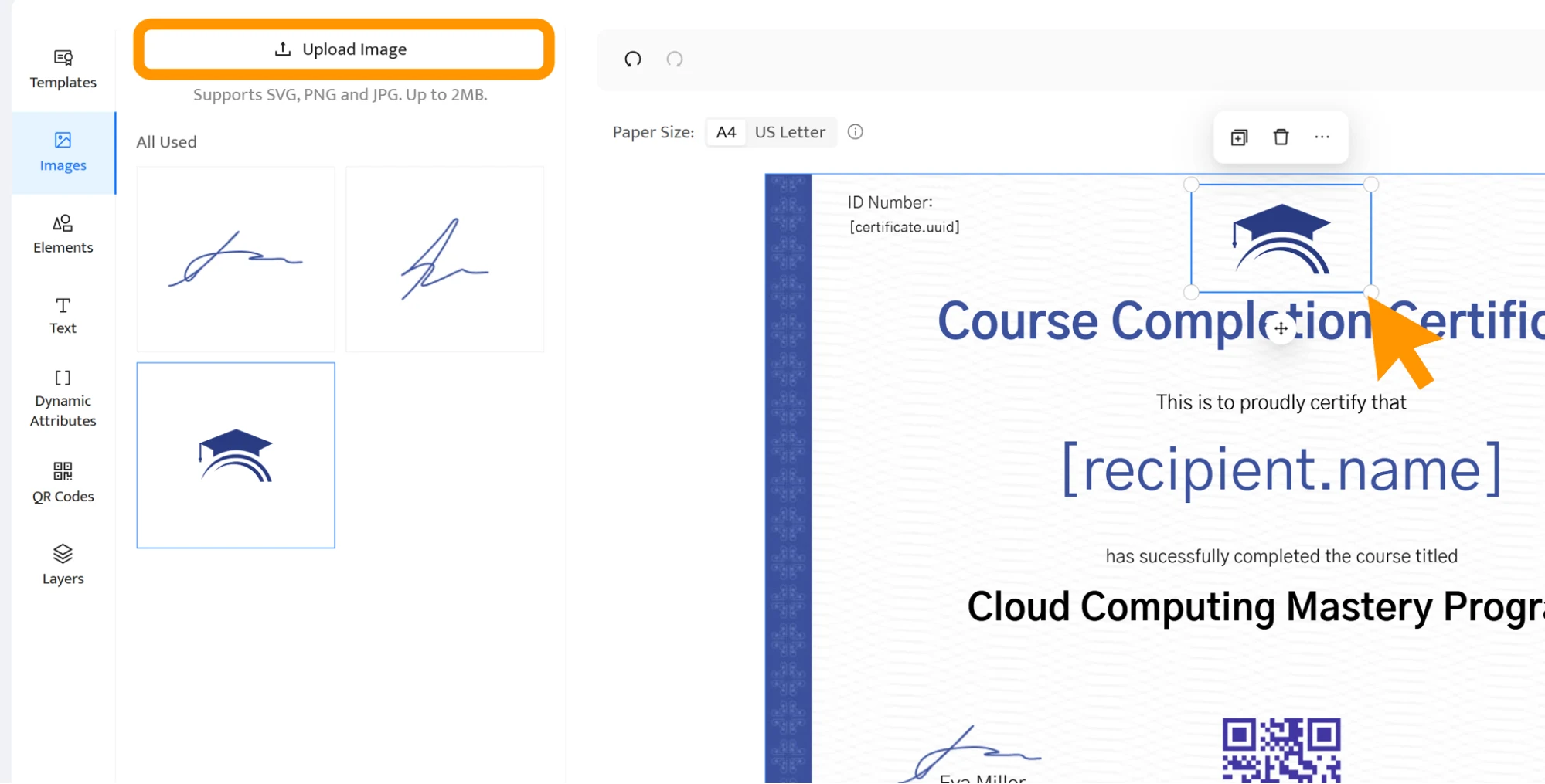
Just like this, your design is ready, and every shared certificate bears your brand. It's a brilliant marketing opportunity for your Kajabi courses. Now, keep the template ready, you’ll select it in Step 6.
Certifier needs permission to see who finishes your course, and an API key is how Kajabi grants it. Keep in mind that Kajabi’s Public API comes with the Pro plan or as an add-on, and only the account owner or a subowner can create keys.

In Kajabi, go to Settings and open Public API
Click Create User API Key
Name the key, for example “Certifier”, and select the account user. This user needs access to the site you plan to connect
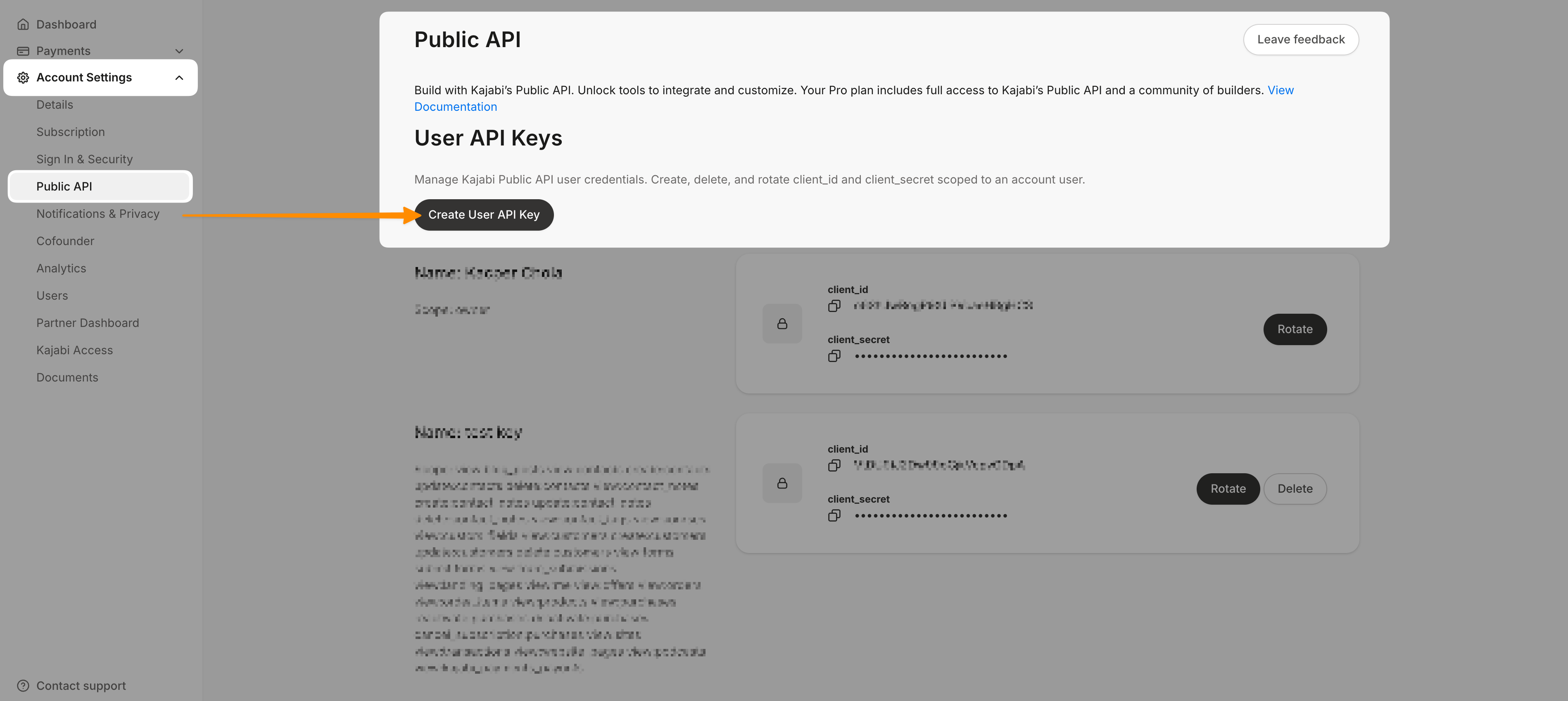
Allow read access to contacts, contact tags, courses and sites
Click Create, then copy both the API key and the API secret. You’ll paste them into Certifier in Step 4
Step 3: Tag learners when they finish the course
Kajabi tells Certifier that a learner is done by adding a tag, so the next job is to set that tag up:
Create a tag named after your course
Go to Products, open your course and open its final lesson
In the Automations section at the bottom of the lesson editor, click Add Automation
Name the trigger and confirm it points to that lesson, then save the trigger
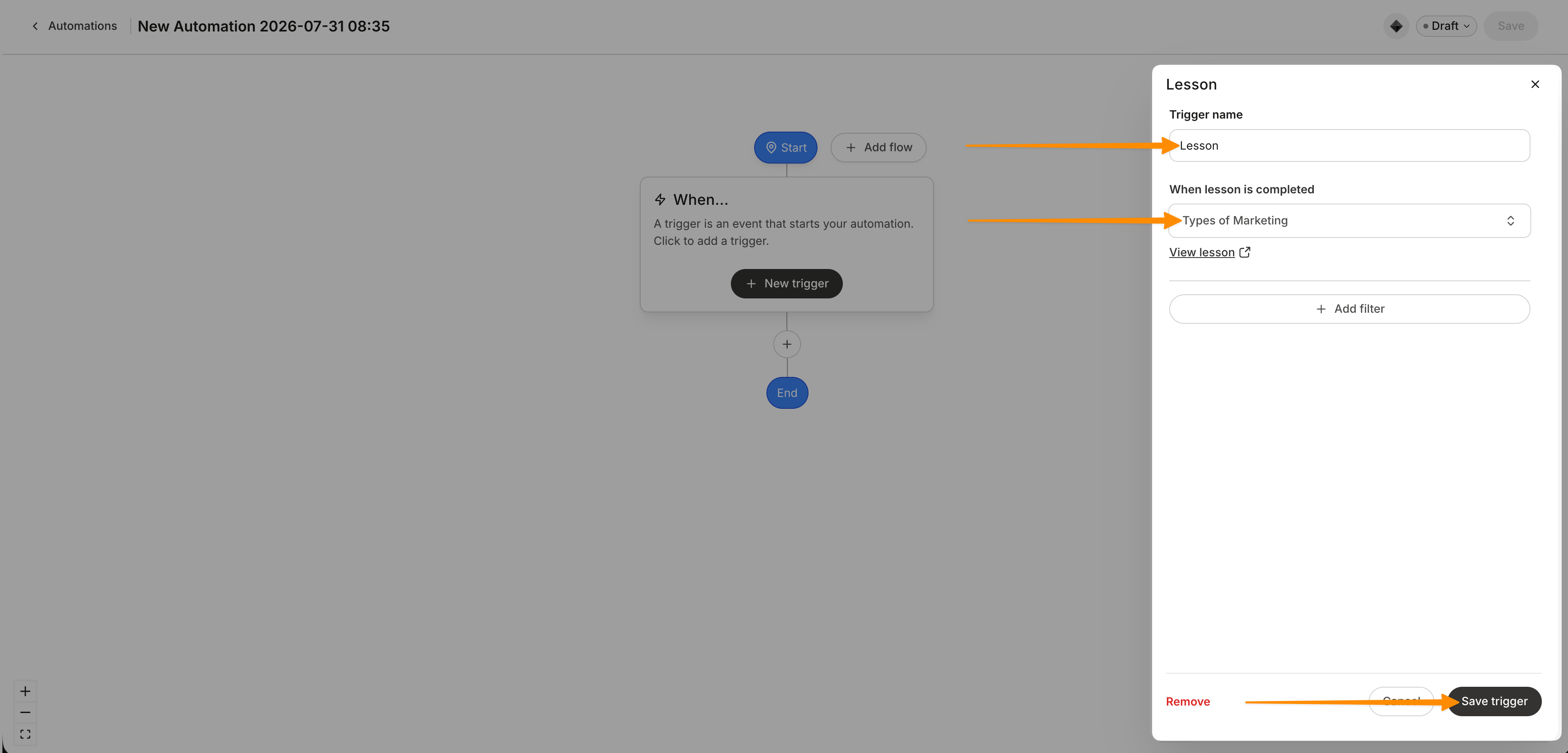
Click Then and choose Add a tag, select the tag you created and save
Certifier doesn’t calculate course progress on its own, so it treats the tag as proof of completion, which is why the automation belongs on the true final lesson only. If you issue credentials for several courses, give each one its own tag.
Step 4: Create the automation in Certifier
Now switch to Certifier. The Kajabi template presets the trigger to Course completed, so most of the work is connecting your account and choosing the tag that means “finished” for this course.
Open Automations and click Create Automation
Choose the Kajabi template and click Use Template
Click the Trigger card. Kajabi and the Course completed event should already be selected
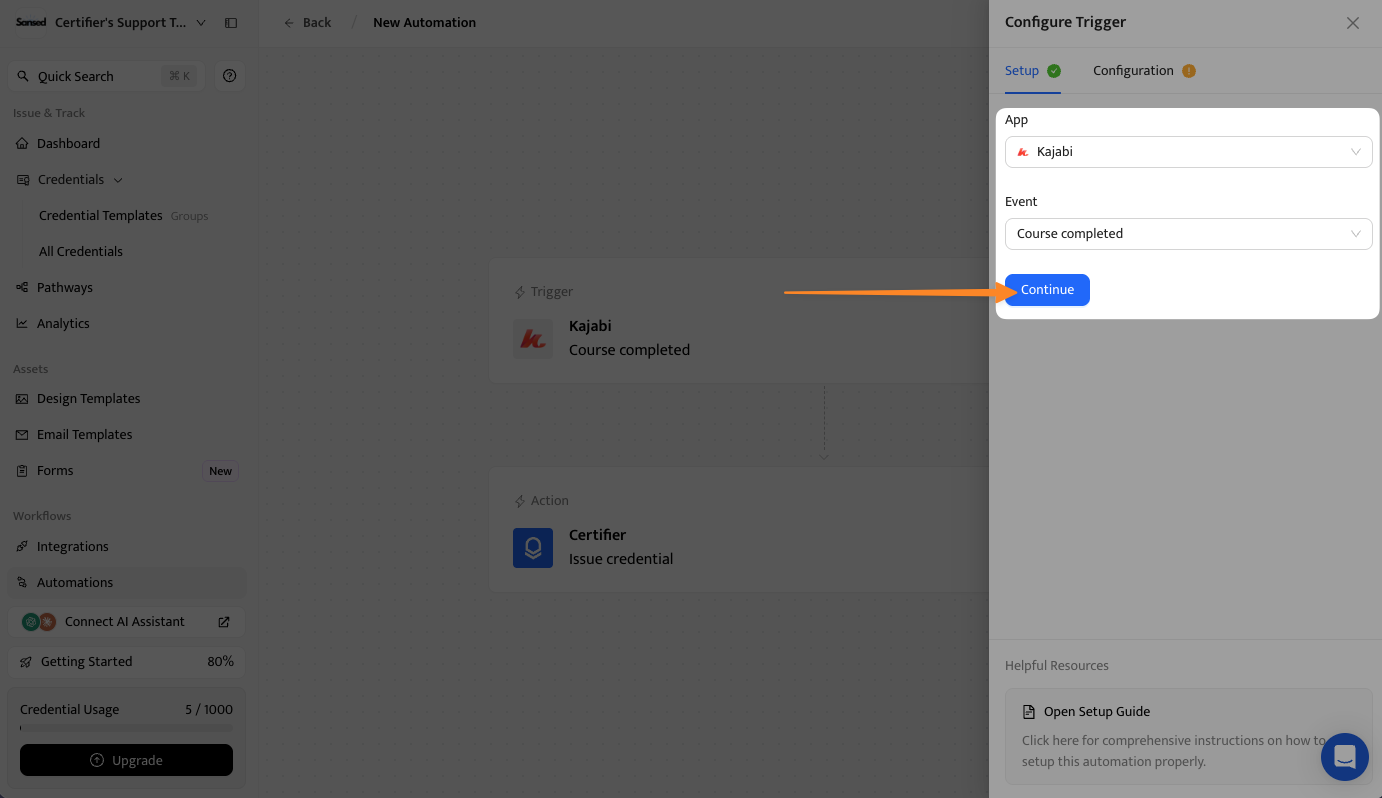
Click Connect New Account, paste in the API key and secret from Step 2 and click Connect
Select your Kajabi site and course
Pick the tag from Step 3 as the course completion tag
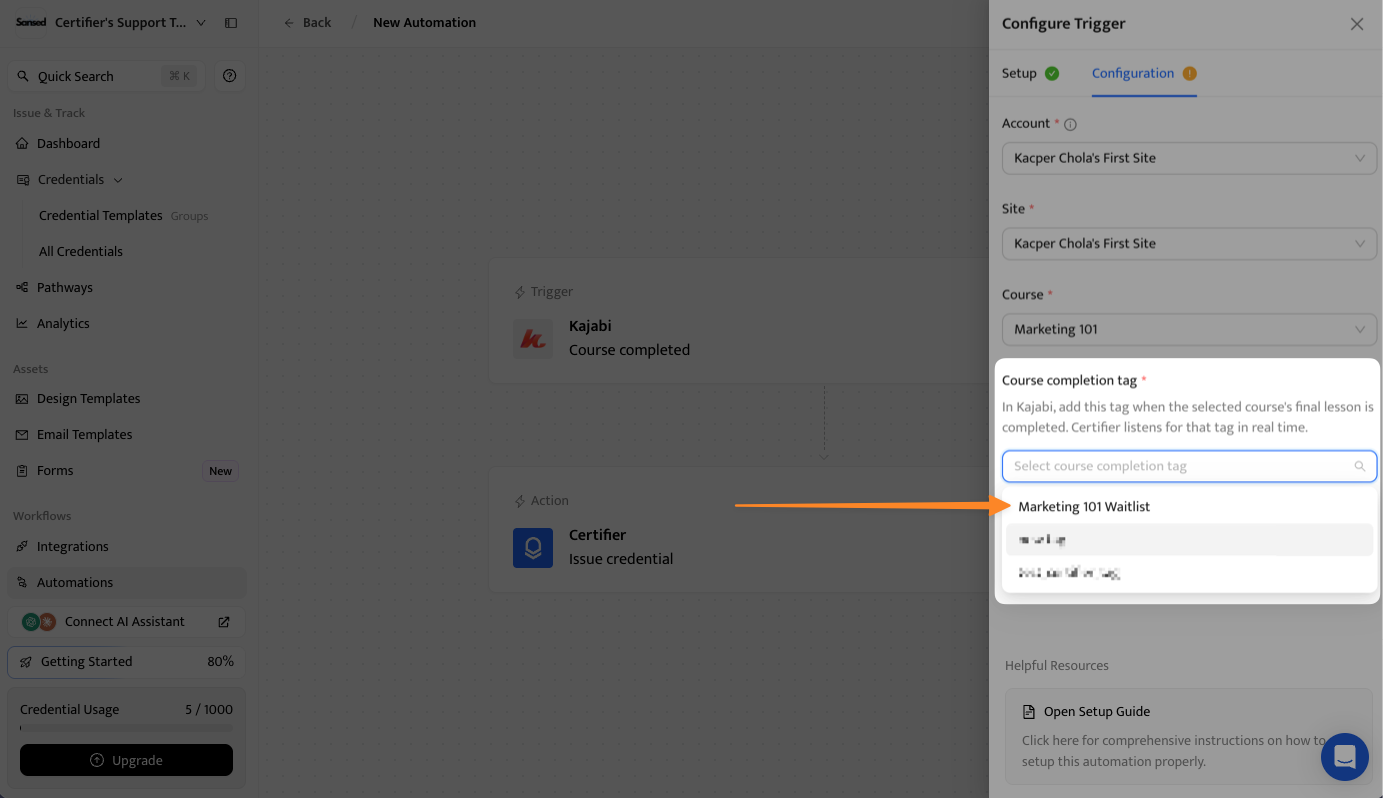
Click Save & Continue
Step 5: Choose what gets issued and who receives it
This step links the Kajabi learner to the credential they’ll get. You can leave the issue date empty. Certifier will use the date it processes the completion, which avoids a mismatch, because Kajabi sends a date with a time and this field accepts only a date.
Open the Issue Credential action and select the template you designed in Step 1
Map the recipient’s name to the student’s name in Kajabi
Map the recipient’s email to the student’s email in Kajabi
Leave the issue date empty
Optional: map extra Kajabi details, such as the course name, to custom attributes
Turn on both issuing and sending, so learners receive their credential by email with no manual step
Step 6: Activate and let it run
Once you activate the automation, the workflow runs by itself.
Click Save & Activate
Give the automation a name you’ll recognize later
Click Confirm & Activate
From then on, a learner completes the final lesson, Kajabi adds the tag, and Certifier issues the credential from your template and emails it to them.
Recipients can access the digital version of their Kajabi certificate of completion via their email inbox. It directs them to a digital portal: a secure place where they can store, share, and verify their certificates.
Zapier is the better fit when the native integration doesn’t cover your trigger, such as a completed Kajabi assessment. It adds a third tool to the setup, so you’ll need a Zapier account alongside Kajabi and Certifier.
Once your certificate design is ready in Certifier, you can connect everything. The steps below walk through the Zapier setup. When the Zap is live, a credential is issued each time the Kajabi event you selected happens.
If you’d like to see the design side first, watch the video below. It walks through creating and customizing a certificate and previewing it from your student’s point of view. Press play now, or save it for later.
To give you more clarity on the process, here’s the workflow overview:
Kajabi → Tag Added or Assessment Completed → Zapier → Certifier issues certificate
Let's explore the process in detail:
Go to Zapier.com and log in or create a free account. Search for Kajabi and Certifier in the app directory.
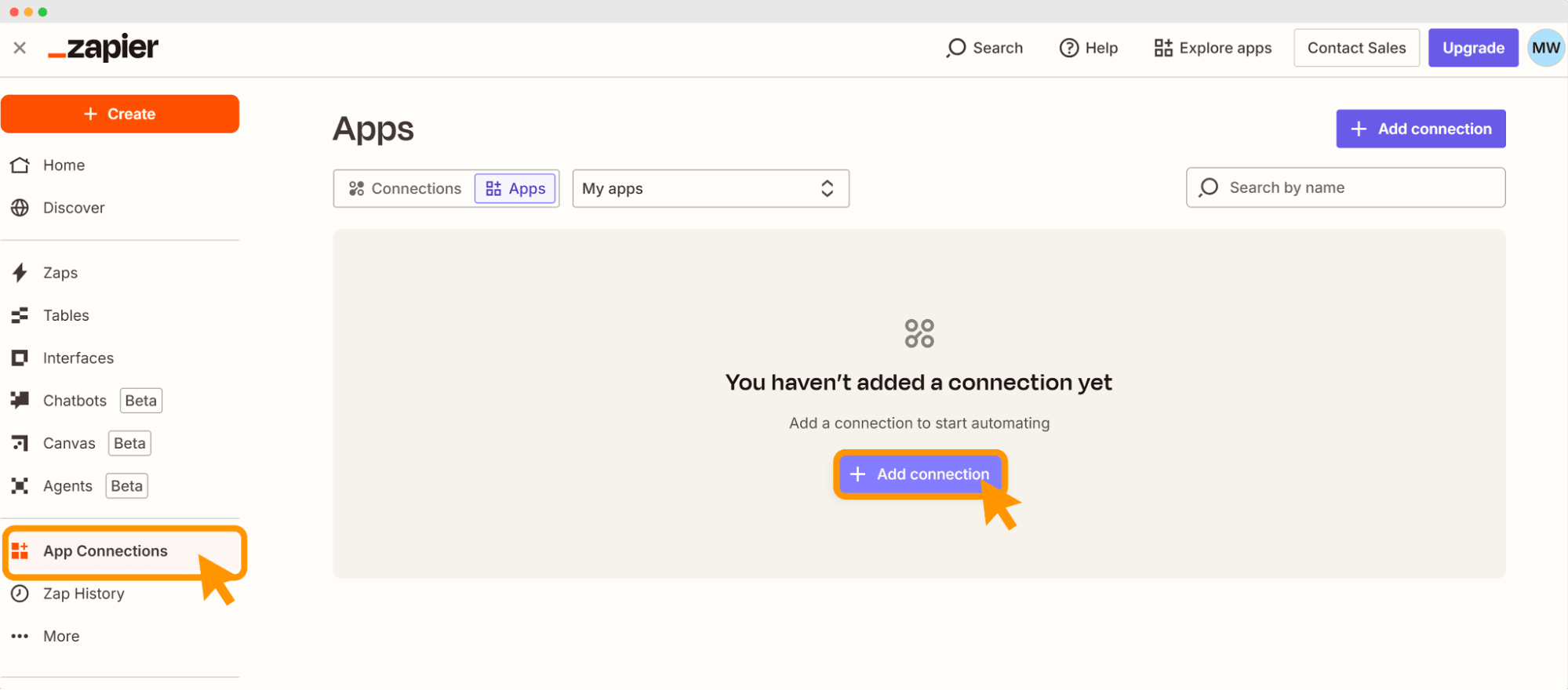
Choose App Connection tab. It’s in the main dashboard in the bottom left corner
Click + Add Connection
Log in to your Kajabi and Certifier accounts through Zapier when prompted
Insert the API key to connect
Allow permissions so that Zapier can pull data from your Kajabi courses
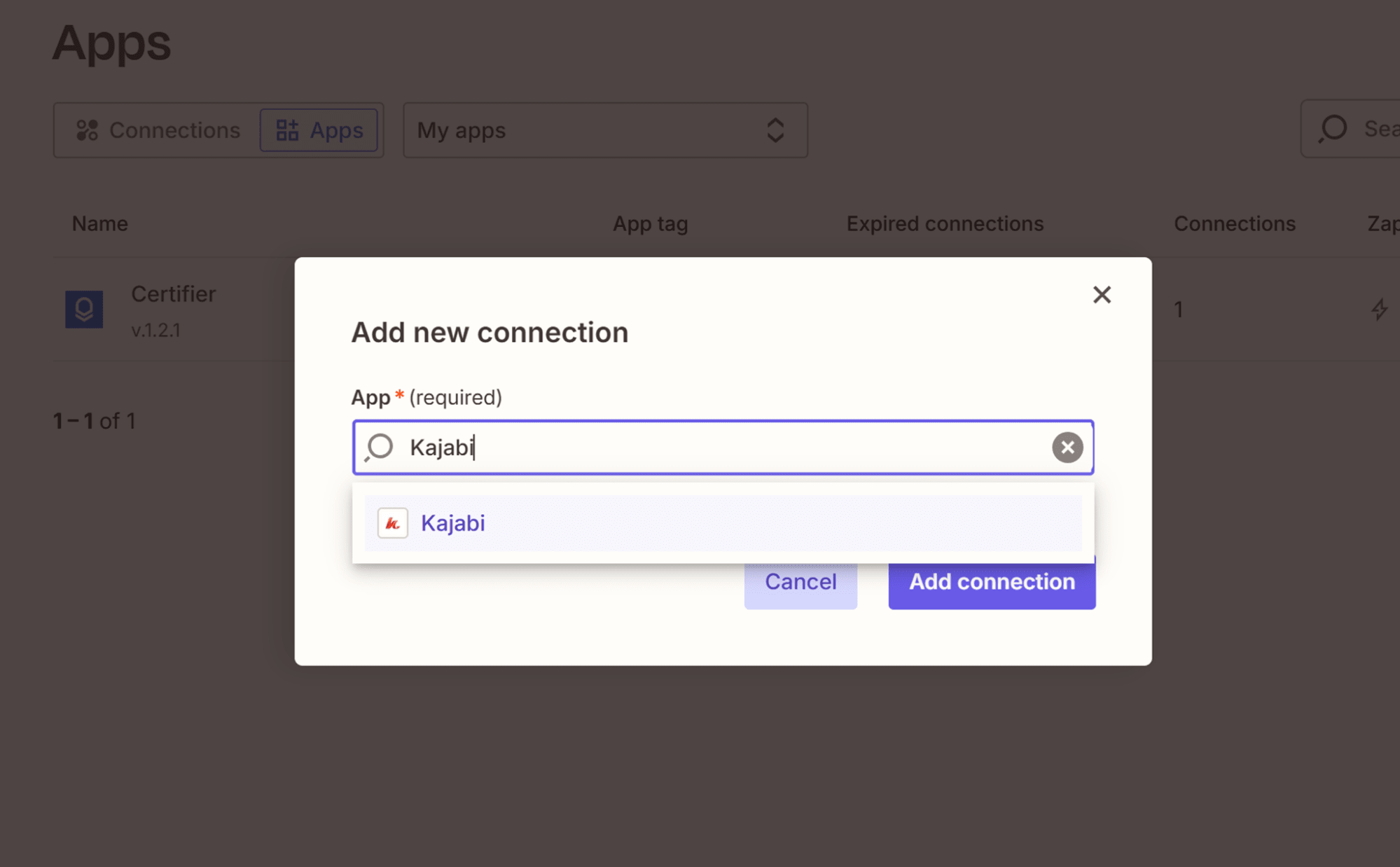
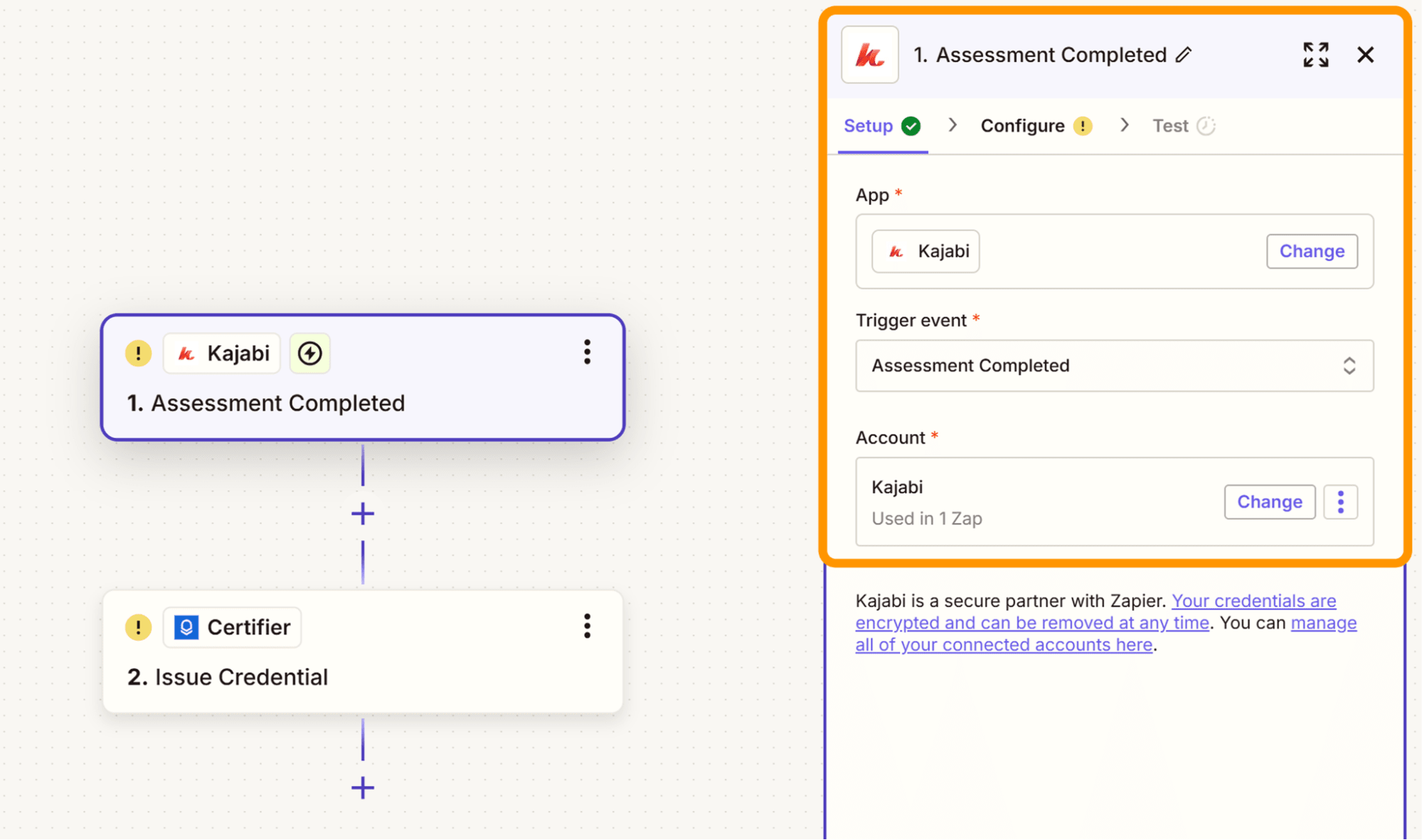
Select an app you want to use as a trigger: Kajabi
Choose the trigger event: Assessment Completed
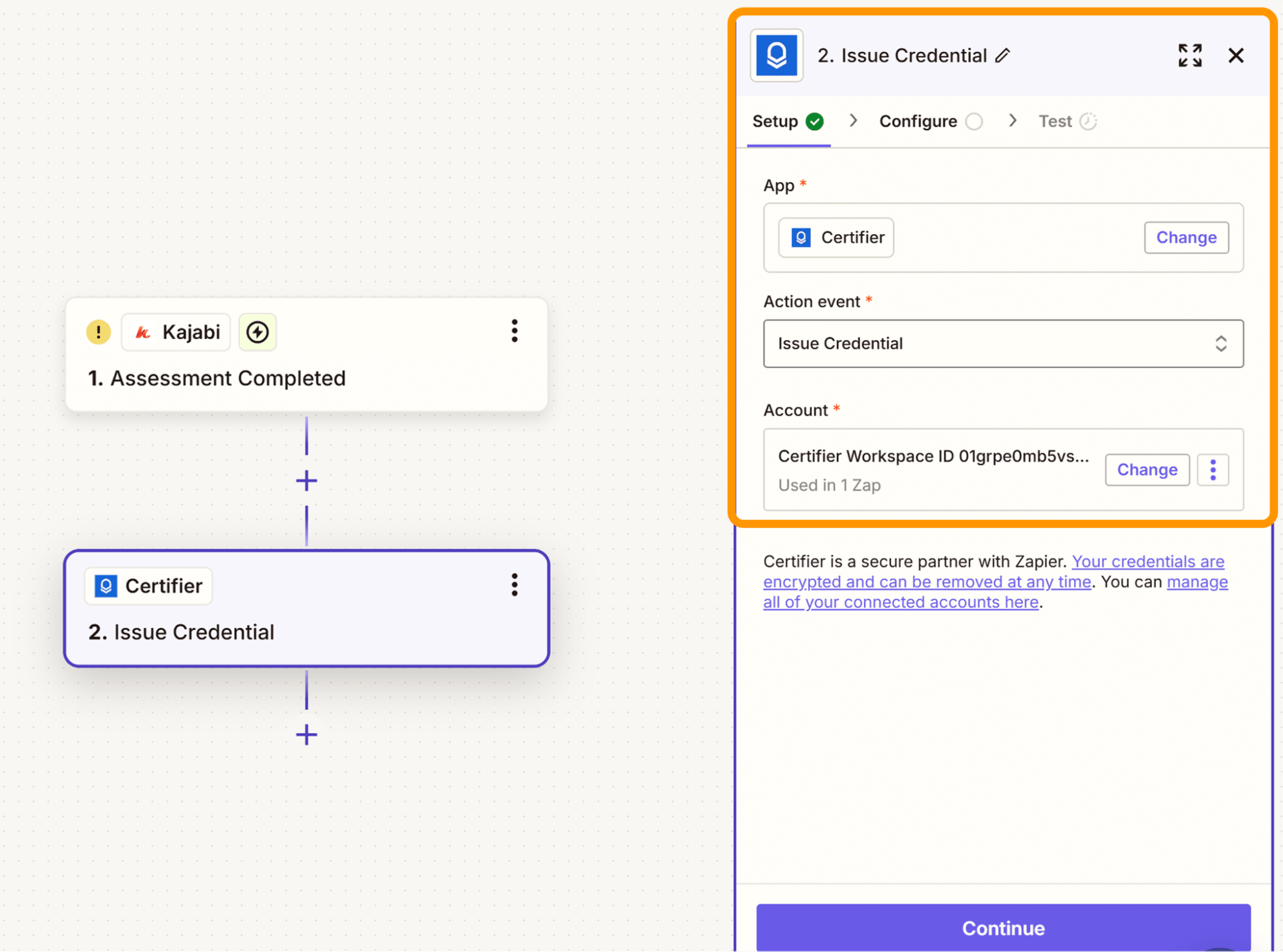
Set up the action in Certifier
Action App: Certifier—connect your account
Certifier, choose the action event: Issue Credential
Press Continue
Then, map the required fields:
Recipient name
Email address
Certificate group
Course name
Issue date
Any dynamic fields you added during the certificate setup
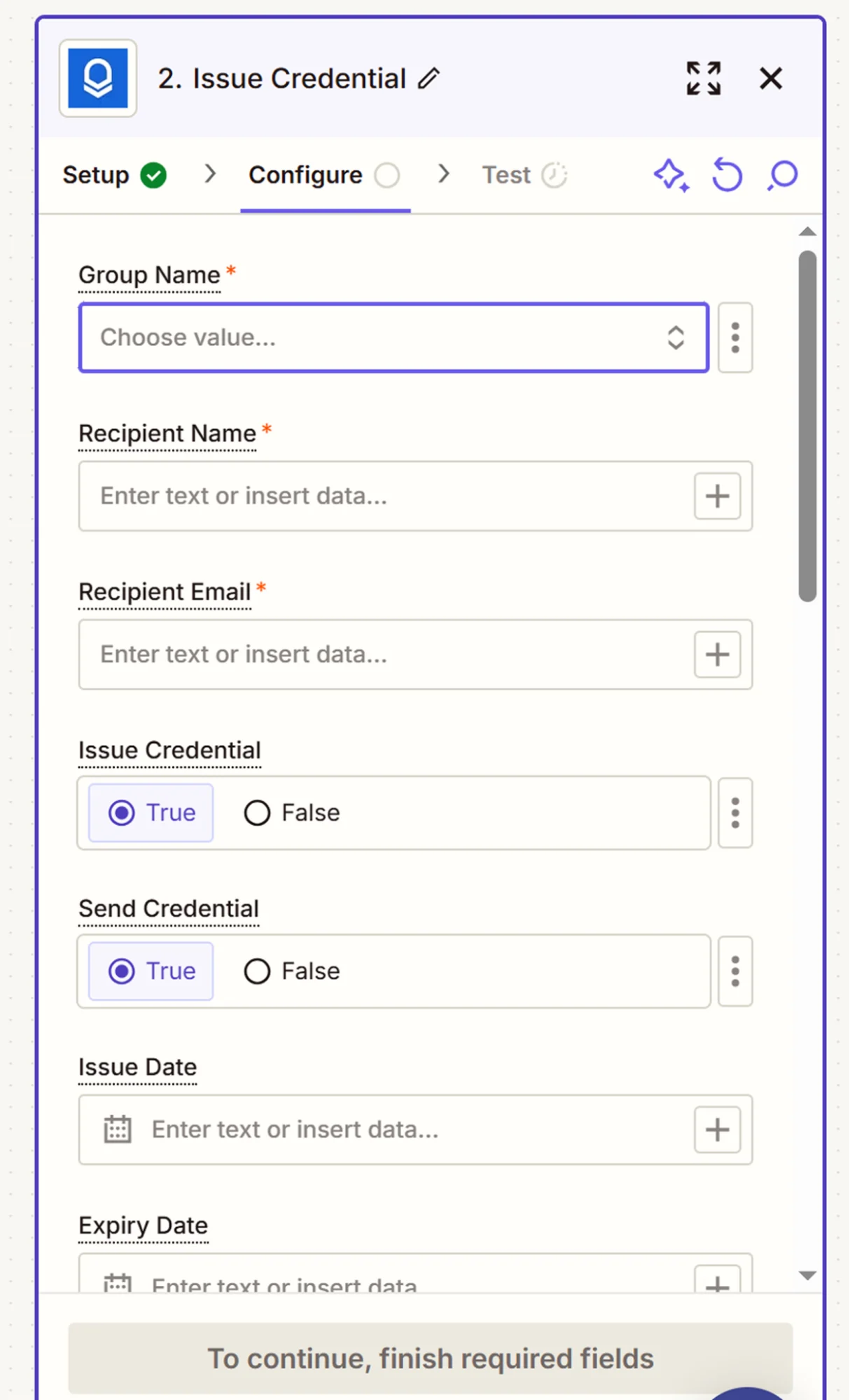
When complete, click Continue
Test the zap to make sure everything works as it should
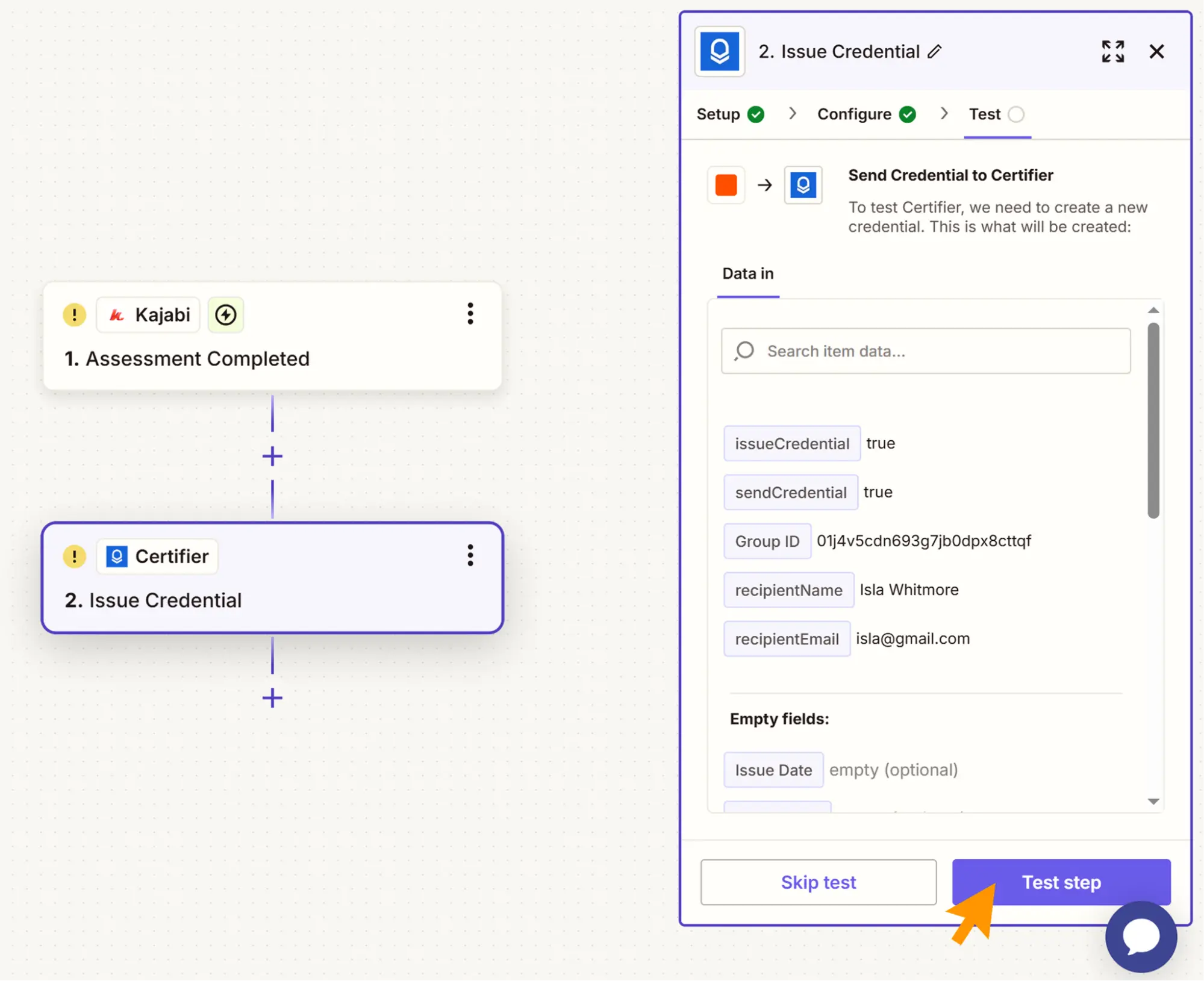
Use sample data to test your Zap
If it looks good, click Publish
From now on, Certifier will issue and send a personalized Kajabi certificate of completion anytime the selected Kajabi event happens.
Kajabi offers a built-in solution for sending certificates, but it has several limitations in the design and delivery process. If your goal is to create engaging certificates that carry your brand and scale with automation, you need a better solution.
With Certifier’s integration, you issue a Kajabi certificate of completion without any effort. Set the workflow once and don't worry about Kajabi certification.
Do you want to deliver visually strong, branded credentials that Kajabi students are proud to share? Sign up for Certifier and connect Kajabi with Certifier using Zapier.
Learn more about Kajabi certification and courses.
It depends on the course and the issuer. Most certificates of completion do not expire unless the course or program is tied to time-sensitive knowledge (like safety training or software skills).
When using Certifier, you can add an expiration date to any certificate and manage reminders or revocations directly from the dashboard.
Yes, especially for learners looking to showcase their skills or track their progress. Here's why they matter:
Motivate students to finish courses
Support credibility when used in resumes or online profiles
Act as a lightweight proof of learning in online or Kajabi certification programs
They’re also a smart marketing tool. Want to strengthen your program? Read the tips on creating a certification program.
You can create one in a few ways:
Use Kajabi’s native certificate tool inside the Products tab
Use Certifier for more control over design, layout and automation
Issue manually with PDFs or presentation software (but this takes time)
Check this step-by-step guide on what is certificate of completion and how to create one using editable templates.
Kajabi is an all-in-one platform for building and selling online courses. Creators can:
Build courses using videos, PDFs, quizzes and Kajabi assessments
Host websites and sales funnels in one place
Automate marketing and course delivery using Kajabi automation
Deliver certificates through Kajabi or tools like Certifier for added flexibility
It’s popular for Kajabi course creation because you can manage everything from content to email and payments in a single tool.

- B2B SaaS marketing
- Digital Credentials
- Content Strategy
- On-page SEO
- Lead Generation
Chief Marketing Officer
Aksen leads marketing at Certifier, bringing 7+ years of experience with global brands to position digital credentialing as a trusted solution for training providers and educational institutions.


