Trusted by:
University of Southern California
Warner Bros.
Volvo
Amazon
Stanford University
Updated: September 04, 2026
10 min read
Skilljar supports several credential setups, from simple built-in certificates to external platforms with stronger customization and data analytics. Compare the options and find the best one for your program goals and budget.
Research with AI:
Skilljar lets you issue certificates when someone finishes a course or a quiz. The credential stays in the learner’s Skilljar record, but they can download a copy linked via email. If you just need your Learning Management System (LMS) to confirm and reward completion, this is often enough.
For those looking to expand their credential program, an external platform can add more features — like shareable digital badges, more control over live credentials, and data on how your learners use said credentials.
Some of the leading options include Skilljar’s direct Credly or Accredible integrations, and Certifier as an external app. Each option brings different utility, costs, and maintenance needs.
Read on to see how these integrations work in practice and which one is best for different use cases.

Skilljar’s built-in certificate workflow runs entirely inside the LMS.
You select “Issue certificate upon completion” as a course Action and set an optional Minimum Passing Score from your quiz lesson settings.
Skilljar will then issue a certificate for every learner who meets the course completion requirements.
Credly and Accredible create and issue certificates outside of Skilljar, but they connect to your LMS directly.
You only need the API key or token from your external app, which you paste into your Skilljar settings. This grants the LMS permission to securely share learner details and lets the external platform automatically issue credentials upon completion.
Credly is restricted to designing digital badges and issuance can only be triggered when a learner completes an entire course.
Accredible allows you to issue both digital badges and PDF certificates, with the flexibility to trigger them upon full course completion or after an individual milestone lesson.
Certifier is different from native Skilljar workflows as it lacks a direct integration. Instead, it must be bridged using automation tools like Zapier or custom code via an Application Programming Interface (API).
To connect Skilljar and Certifier via Zapier, you log into your Zapier account and start a new workflow, then connect both apps.
You select Skilljar’s “Course Completion” trigger for the automation, which lets Zapier pass the learner and course details over to Certifier.
Once Certifier receives this data, it automatically generates and emails a certificate, badge, or credential to the qualifying learner’s inbox.
Edit in Certifier

Since Zapier triggers on any completion, you must adjust Skilljar’s rules to avoid sending credentials to failing students.
Ensure “Mark the course as complete if the student passes or fails” is disabled, or add a filter inside Zapier to check the student's quiz score first.
If using Certifier’s API, your team must create a custom script that listens for course completions from your Skilljar dashboard.
When a student finishes a course, the script will automatically catch their info and send it directly to Certifier, which continues the credential workflow.
For non-native certificates, you need a few additional steps:
1️⃣ You have to design new certificate or badge templates for the external platform to use.
2️⃣ You’ll manually map the data fields between Skilljar and the new template, so the external app knows where to place the student's name, email, and course details.
3️⃣ You’ll have to set specific rules, such as linking a Skilljar Course ID to its matching badge or adding filters to exclude failing students.
All four options cover the basic learner-facing needs of a credential program.
Each lets you customize certificates or badges to align with your brand and course. Learners can also freely download and share their award with a unique link, and third-party verification is handled automatically. Feature availability depends on your paid plan tier.
The main differences have to do with the available credential formats, your level of control over certificate lifecycles, and insights into recipient activity.
Feature | Skilljar | Credly | Accredible | Certifier |
|---|---|---|---|---|
Issues | Certificates | Badges | Certificates & badges | Certificates & badges |
Manages | Expiry and reissuance | Updates, expiry, replacement, revocation | Updates, expiry, revocation | Updates, expiry, renewal, deletion |
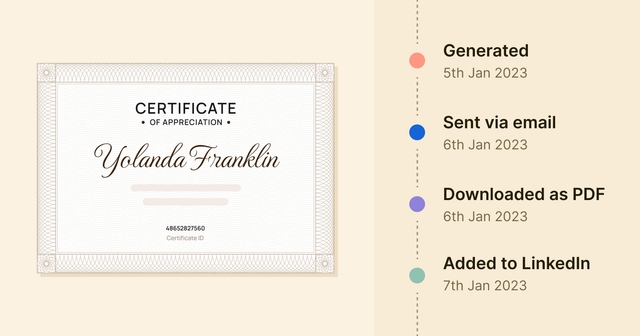
Tracks | No engagement metrics | Acceptance rates | Acceptance rates | Email open rates |
Social shares | Social shares | Delivery status | ||
Verification | Views | Social shares | ||
Clicks | Referral traffic | PDF downloads | ||
Downloads | QR verifications |
Skilljar is limited to certificate issuance and its reporting focuses on learner analytics. It doesn’t provide certificate engagement metrics like views, shares, or verifications. Administrators can set expiry dates and correct certificates, but they cannot edit live credentials without reissuing.
Credly offers broader lifecycle controls and engagement data. Issuers can update, replace, or revoke badges and track verification or clicks. However, your learners must use a Credly account to accept and manage their badges.
🏆 Accredible and Certifier provide a more balanced mix for teams that want both certificates and badges.
Both have highly customizable, white-label templates and both let you update or remove live credentials after issuing. Recipients can open and verify credentials from a hosted page without creating an account for either platform.
The platform you choose affects more than the type of credential you can issue. It also determines cost and day-to-day management.
Some workflows require additional subscriptions or more maintenance, while others can scale better as your program grows.
Here’s what to consider.

Skilljar’s native certificates don’t need another credential platform, so you can use the built-in workflow without a premium integration.
If you’re considering an external connection, standard REST API access and basic Zapier functionality are also included on any plan, though high-volume workflows may require a paid Zapier subscription.
Credly and Accredible are considered premium platform integrations, so you’ll need to upgrade to a higher Skilljar plan — like Professional or Enterprise — if you haven’t already. Each of these integrations will also require separate platform subscriptions.
Certifier offers a free plan that supports up to 250 credentials per year and full API access. However, higher limits and advanced certificate features start with the Professional plan.
Select the perfect plan for your needs
If you’d rather use Zapier to connect to Certifier, you might also need a subscription for that, depending on your program’s size.
Zapier’s free plan includes 100 monthly tasks and only supports two-step workflows, so you wouldn’t be able to add a score filter to make the Zap multi-step on this subscription tier.
Each credential platform uses different metrics to measure and bill your usage. Understanding how each platform counts its limits is crucial to avoiding unexpected charges:
Skilljar: Follows your active-user allowance. There are no separate limits or fees for issuing certificates.
Credly: Credly sells badges through annual contracts. Unused badges expire at the end of the contract year.
Accredible: Counts unique recipients, not credentials. A single learner can earn unlimited certificates under one user slot.
Certifier: Similar to Credly, it counts each issued certificate or badge individually against an annual limit.
Zapier: Consumes one automated task every time a course completion triggers an external credential.
Calculate your total learners, renewals, and repeat completions for a full year to determine the most realistic cost for your workflow.
👉 Consider this example. A program giving four credentials each to 100 learners equals 400 total completions. Over one year, this requires an Accredible plan for 100 recipients, or a Certifier allowance for 400 credentials and a Zapier subscription that covers at least 400 tasks.
Choose the connection that fits your program goals and available resources. Skilljar’s native workflow has the fewest moving parts.
Course administrators can manage completion rules, certificates, and learner records directly from the LMS with no additional overhead.
Credly and Accredible integrations run directly through Skilljar but require separate accounts, templates, and data mapping. This option can work well if you want more design and credential management options while keeping your workflow simple.
Certifier gives you similar features with more control over who gets a credential. Through Zapier, you can filter by test scores, route different courses to different templates, or halt specific completions. However, your team must manage the Zap and watch task limits.
An API connection gives your developers total freedom to build custom issuing rules and handle errors, but building and maintaining the script remains an internal cost.
A basic course starts small, but growing programs eventually need advanced features beyond what Skilljar offers. And external certificate platforms handle growth differently.
Choose an option that scales smoothly to prevent cross-platform migration later.
Credly primarily issues digital badges, so consider this option only if you plan to keep Skilljar’s native certificates. Features like advanced analytics and larger badge volumes require moving from entry-level to mid-market or corporate tiers as your workflow grows.
For Accredible, removing vendor branding, accessing advanced reporting, and hosting credential pages under your own web domain means upgrading from entry-level to Connect or Growth tiers.
Certifier lets you start for free and scale based on program and team size. Upgrading from the free tier enables credential analytics and lifecycle control.
Premium branding and multiple workspaces are also available as add-on features on all plans.
No, automated workflows can’t issue credentials for past completions. Skilljar’s real-time triggers only issue external credentials like Credly badges for new completions going forward.
To credit past students, your team must manually export historical data from Skilljar and use an API or the external platform to issue in bulk.
Yes, Skilljar can issue native certificates via built-in completion actions while simultaneously triggering external platforms like Credly, Accredible, or Certifier via webhooks. This happens automatically upon course completion.
You can use the two workflows to offer learners both PDF certificates and verified digital badges.
Yes. Certifier hosts existing credential metadata indefinitely, even on the free tier.
If you cancel your Certifier subscription, all previously issued credentials remain active and accessible. Recipients can still download, share, and verify their certificates or badges anytime.
Yes, teams can manage distinct programs independently. Certifier Enterprise offers workspace features and customized user roles tailored for multi-team setups.
Different departments can operate within isolated workspaces to oversee unique certificate layouts, custom email templates, and targeted branding assets linked to their Skilljar course catalogs.

- Content Strategy
- SEO & AEO/GEO strategy
- Conversion Rate Optimization
- Organic Growth
- Buyer Psychology
Head of Content
Vlad Melnic leads content at Certifier, bringing 10+ years of experience in SEO content marketing and conversion-focused content. His focus is turning complex product value into clear benefits.


 Most popular