Trusted by:
University of Southern California
Warner Bros.
Volvo
Amazon
Stanford University
Updated: September 04, 2026
8 min read
LearnUpon and Certifier differ in how they let you design, send, and verify certificates. Compare the workflows and see the practical outcomes for your team, learners, and outside reviewers.
Research with AI:
LearnUpon already lets you design and assign certificates when someone completes a course or learning path. Learners can download it as a PDF from the platform or receive it by email. For many training programs, this is enough.
So when does it make sense to add Certifier into the mix? Consider it when you need more brand-aligned certificate hosting and accessible third-party verification.
Each badge or certificate you issue through Certifier gets a unique digital wallet page, which recipients and reviewers can access through a direct link.
The page shows your issuer name, the credential’s validity status, and optional details about your course. This will make your credentials easier for learners to use and for third parties to check outside your LMS platform, supporting trust in your program.
Note that adding Certifier to LearnUpon also implies additional operational decisions. Your team must choose whether to keep and issue both platforms’ credentials, what information to share across apps, and how to set up the new workflow.

Using Certifier doesn’t mean moving your training program out of LearnUpon. You still run the course and record each learner’s result there.
Once a learner qualifies for a certificate, you use LearnUpon completion details to create and send the credential through Certifier.
This cross-platform setup requires a way to pass information between the apps. Multiple options exist—each with different automation steps, monitoring requirements, and costs.
You may also need to change your native LearnUpon certificate workflow to avoid overlap.
Answer the following questions before committing to a new setup.
Certifier is cross-platform compatible and lets you choose between several workflows.
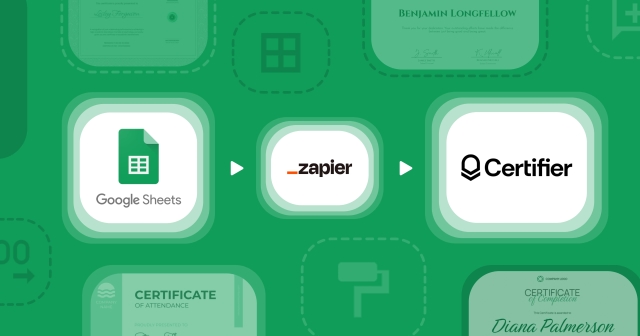
This is the fastest and simplest way to connect LearnUpon to Certifier, with no need for coding or custom development.
LearnUpon is readily compatible with Zapier and straightforward to set up. You just create a new visual workflow in Zapier, connect both accounts, and choose which fields Zapier should capture in LearnUpon and send to Certifier.
Then, you’ll select a LearnUpon trigger, such as course completion, and add a score filter to kickstart certificates or badges in Certifier.
Keep in mind that Zapier’s free plan covers up to 100 tasks per month. You’ll need a paid plan if your workflow exceeds that limit. LearnUpon also limits Zapier access to Premium and Enterprise plans, unless you purchase it as an add-on.
LearnUpon lets you export course and learner reports as a CSV file.
You can then upload this spreadsheet file to Certifier and use the information to create individual credentials using your chosen certificate design.
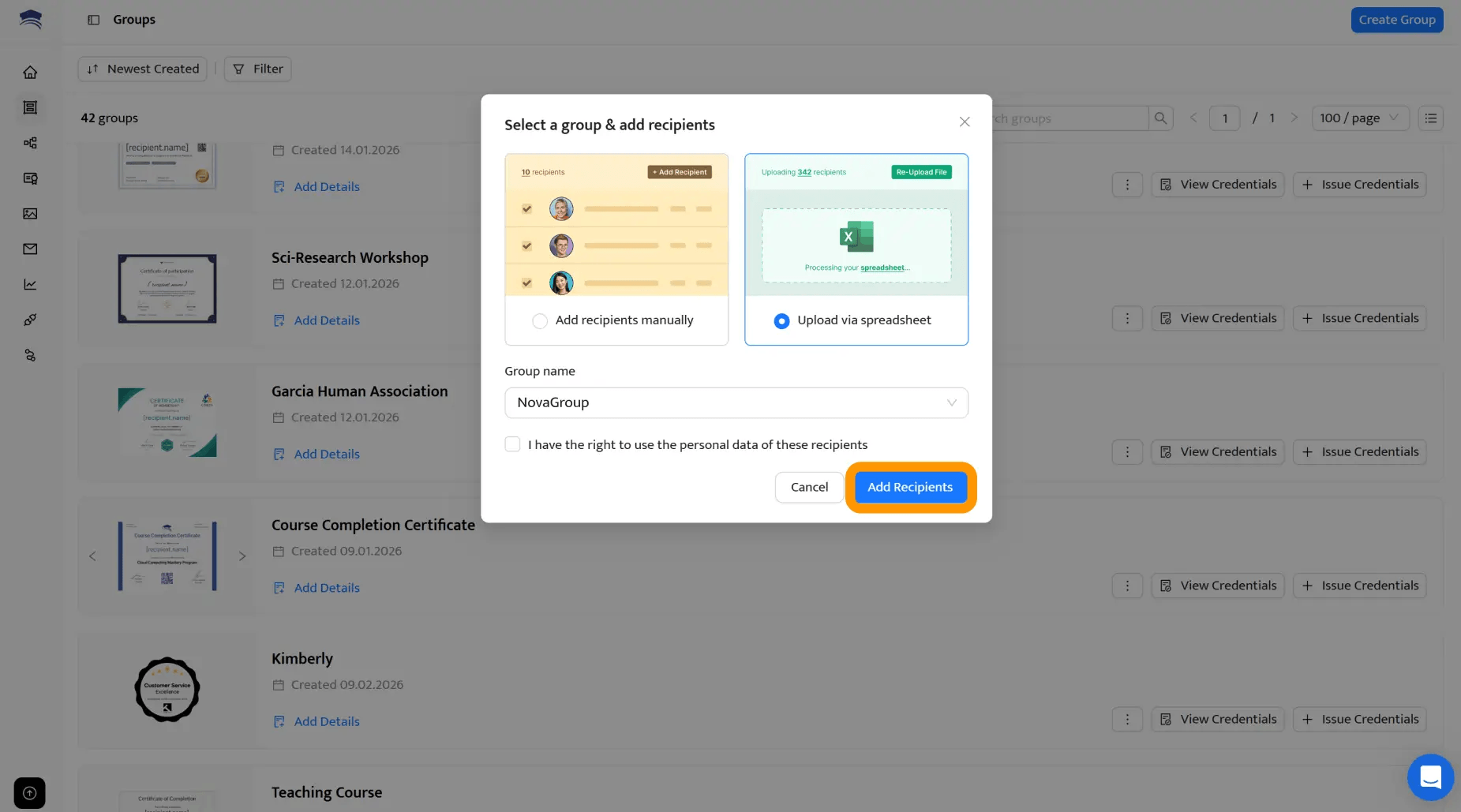
This option lets you review and rectify any details before you batch-generate and issue. Also, you won’t need any coding or a separate third-platform subscription.
The tradeoff is slower delivery. Credentials don’t go out automatically when someone completes the course. If you prepare batches once a week, a learner who finishes just after an export will need to wait for the next one.
The process also repeats with every batch. Someone must export and prepare the file, then upload it. As your issuing volume grows, this work takes longer and creates more opportunities for data-entry errors.
An application programming interface (API) connection lets you pass information automatically between LearnUpon and Certifier without paying for a third-party connector. Examples of compatible data include completion events or credential expiry changes.
Certifier includes API access on every plan, but LearnUpon API access depends on your tier.
⚙️ Unlike a visual Zapier workflow, you’ll need a developer to build rules that decide when and which data should travel across apps, plus what should happen next.
For example, LearnUpon can send a webhook (an automated instruction) when someone completes training. Your connection must take the relevant completion details and send them to the Certifier API.
Certifier should then be told to issue the credential using the correct group, design, and issuing settings for the learning program.

Your team must also maintain the integration. This includes investigating any LearnUpon records that might not be able to reach Certifier, rejected records, missing recipient fields, or API errors. In such cases, developers should also ensure that webhook retries don’t create duplicate credentials.
If both apps issue credentials for the same course, learners may not know which version to share. Your team would also need to manage expiry dates, corrections, and verification twice.
To avoid confusion, you should only use Certifier for programs where you truly need additional certificate verification and customization features, and keep LearnUpon certificates when you don’t want an external credential experience.
Fortunately, migrating this workflow to Certifier is straightforward.
You only need to set up one issuer account and create a certificate template for your program. Inside this template, you attach or create the certificate design and set the credential details used for issuing learners’ certificates.
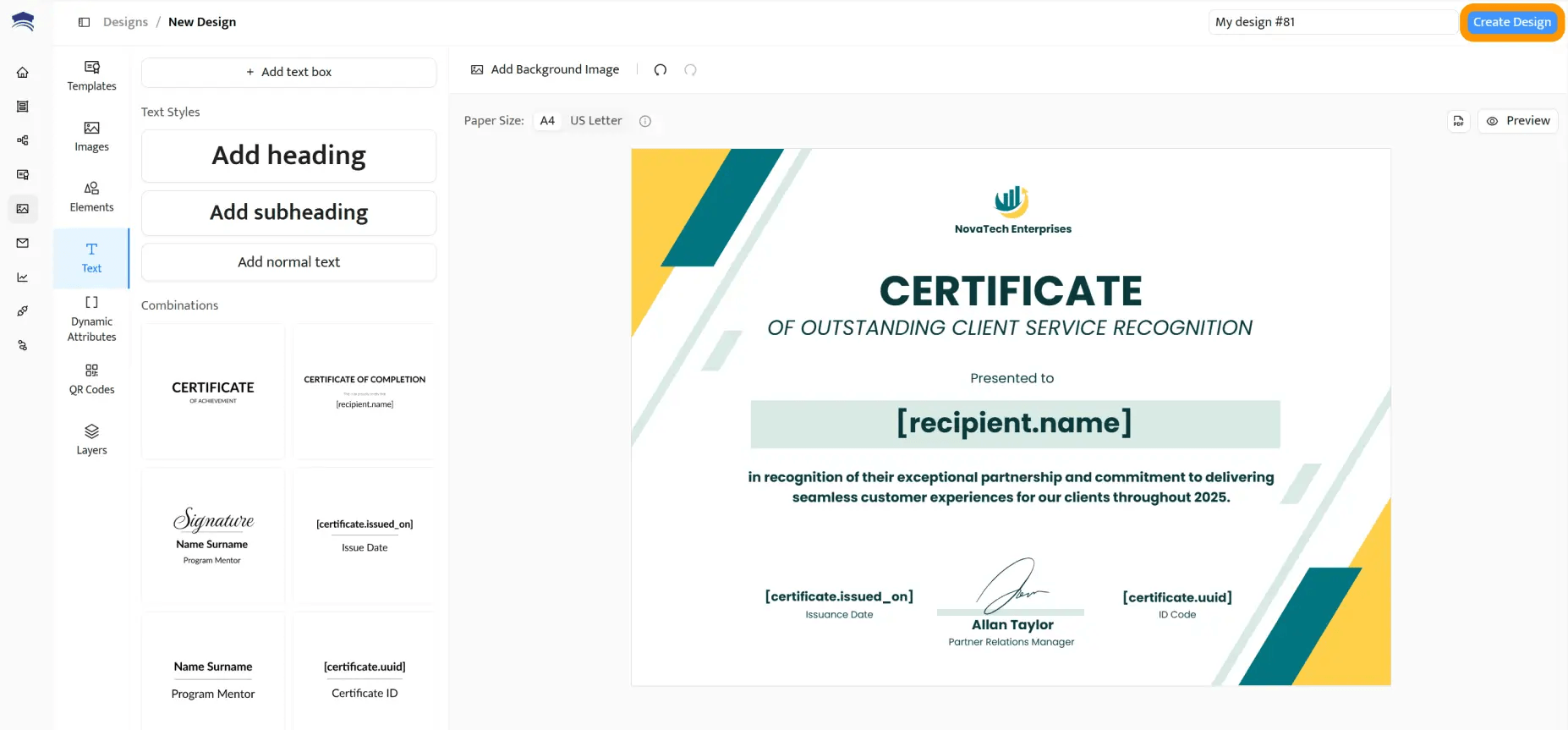
You can start with a design from the template library or upload your own background. Add fields for learner and course information, then adjust the design and anything related to formatting to suit you needs. You can also set custom credential descriptions and expiry rules.
For future learners, remove the native LearnUpon certificate from the course settings by unlinking the template. Your team will then manage the new certificates in Certifier’s dashboard, including correcting recipient details and expiry dates.
When saving a correction, Certifier will update the hosted credential page without making you reissue the certificate.
Calculate the full first-year cost rather than comparing subscription prices alone.
Start with your expected annual issuing volume. Certifier plans vary by default credential limits and included features. API and Zapier integrations are available across all current plans, while features such as expirable credentials require Professional or above.
Then, add the cost of your chosen connection:
Zapier: Include the plan required for your monthly task volume. Confirm that your LearnUpon subscription includes Zapier access or price the required add-on.
CSV issuing: You avoid a separate connector fee, but you pay for the time spent preparing and checking every batch.
API: You avoid Zapier task charges, but you need to budget for development and ongoing maintenance.

LearnUpon already covers many certificate basics, so another subscription and setup process won’t make sense for every program.
Compare what each app offers and what Certifier adds before deciding whether to replace LearnUpon’s native certificates.
Native Learn Upon | Learn Upon with Certifier | |
|---|---|---|
Design | ✔️ Custom certificate templates and layouts | ➕ One template can contain certificate, badge, and supporting document designs |
✔️ Personalized learner and course fields | ➕ Hosted pages with your branding | |
✔️ Reusable designs for different programs | ➕ Custom domains on eligible plans | |
➕ Full white-labeling on Enterprise plans | ||
Delivery and access | ✔️ Automatic delivery by email | ➕ Direct links to hosted credentials |
✔️ Downloadable certificate files | ➕ Recipient access without an account | |
✔️ Social sharing for earned certificates | ➕ Change requests through the credential page | |
Verification and admin | ✔️ Expiry dates for issued certificates | ➕ Public verification with unique credential IDs or QR codes |
✔️ Auto re-enrollment | ➕ Real-time updates to issued credentials | |
✔️ Admin access to recipient records | ➕ Delivery and recipient engagement analytics |
Brand alignment is one of the major differences. LearnUpon’s native workflow provides a PDF that learners download from the LMS or receive by email.
Certifier’s shared verification links lets you deliver credentials externally, on a customizable page that you can host on your own domain.
With Premium Branding, you can add your logo and colors, remove the Certifier footer, and include links to your website or courses to expand your program’s visibility when learners share their certificates online.
Select the perfect plan for your needs
Beyond specific certificate features, LearnUpon and Certifier workflows also differ in terms of use case.
Consider Certifier when you need to adapt a specific certificate program for different audiences or monitor activity after you issue. Common use cases include:

Licensed partner courses: Say you license the same LearnUpon course to several partners. LearnUpon applies the main portal’s certificate to every copy, so you cannot tailor the templates for subportals. Certifier lets you separate learners by partner and give each group a distinct certificate design.
Learning journeys: LearnUpon can award a certificate for the whole learning journey, but learners can’t share their result through the native social-sharing option. Certifier issues the same certificate with accessible sharing, making it a viable alternative if your overall program visibility matters more than the individual courses.
Delivery and recipient analytics: If your team already tracks certificate delivery and activity in LearnUpon, you can continue using similar analytics in Certifier to catch delivery problems. The app shows when emails are opened or bounced and whether recipients viewed, downloaded, or shared their credentials.
❗Important: Use LearnUpon when you need to trigger recertification. Certifier can set expiry dates and send automated reminder emails, but it cannot re-enroll learners in your LMS.
LearnUpon’s Recertification feature does this when a certificate expires. If the course has changed, the learner enters the latest version.
For recurring compliance training, keep the native certificate unless you use another process to manage re-enrollment.
No, Certifier only requires the recipient’s name and email to personalize and send a basic certificate. The platform can map extra attributes like course names or partner details only if you need them to appear on the final credential.
Minimizing this data transfer simplifies your cross-platform setup and makes it easier to verify certificates before or after issuing.
If a learner’s name or email changed, you can update the learner's details directly in Certifier to refresh the live credential, though you must also manually update your LearnUpon database.
Certifier’s dashboard allows direct edits and pushes live updates to the hosted link without altering the URL.
Yes, you’ll need an IT administrator with access to your domain registrar to configure DNS settings. Your technician must add Certifier’s CNAME records to your domain configuration to white-label your credential URLs.
Once connected, the custom domain applies to all hosted credentials.
Configure your integration to pause issuance until LearnUpon changes the course status from “Pending Review” to “Passed” or “Completed.”
Certifier listens for these specific status updates, automatically holding back the certificate until an instructor grades the work. This conditional workflow prevents accidental early issuance.
Yes, a single LearnUpon completion trigger can simultaneously issue both a printable certificate and a digital badge. Certifier allows you to attach multiple design assets to one credential template, bundling them into a single recipient record.

- Content Strategy
- SEO & AEO/GEO strategy
- Conversion Rate Optimization
- Organic Growth
- Buyer Psychology
Head of Content
Vlad Melnic leads content at Certifier, bringing 10+ years of experience in SEO content marketing and conversion-focused content. His focus is turning complex product value into clear benefits.


 Most popular