
Trusted by:
University of Southern California
Warner Bros.
Volvo
Amazon
Stanford University
April 15, 2026
8 min read
Your LearnWorlds courses deserve certificates that match their quality. Connect Certifier via Zapier and automatically send branded, verifiable certificates of completion to every learner.
Research with AI:
You’ve put serious work into your LearnWorlds academy, crafting a curriculum and assessments that help your learners walk away with real skills. It’s an impressive achievement and your LearnWorlds certificates of completion should be a perfect reflection of that high-quality experience.
While LearnWorlds offers a native certificate tool to get you started, its capabilities are quite limited, with only one default template available to all course creators. That leaves little room for custom branding or a more polished learner experience.
Certifier is the perfect companion for when you're ready to elevate your credentials even further.
By connecting Certifier to LearnWorlds, you can enhance your academy with professional designs, built-in verification, and one-click social sharing, without any extra manual work.
This guide walks you through the full setup, from designing your first certificate to automating delivery after course completion.
TL;DR
LearnWorlds’ native certificate tool is limited–one default template, external PDF editing for custom designs and no built-in verification.
Certifier connects to LearnWorlds via Zapier to automatically issue branded, verifiable certificates of completion after learners finish a course.
Every certificate includes a unique ID, QR code and digital wallet–recipients can verify, download and share credentials on LinkedIn.
Certifier’s free plan includes 250 credentials per year with full access to the visual editor, templates, verification and social sharing.

Before we move to the integration and design setup, let’s take a look at what LearnWorlds already offers for certificates. The platform includes a native
The LearnWorlds certificate of completion feature covers just the basics. It’s a good starting point, but it also comes with limits that matter once you want more control over branding, delivery and verification.
Every LearnWorlds plan includes one built-in certificate of completion template. It populates with the learner’s name, course title and completion date automatically.
If that template fits your brand, you’re set. But most creators find it too generic for a premium learning experience.
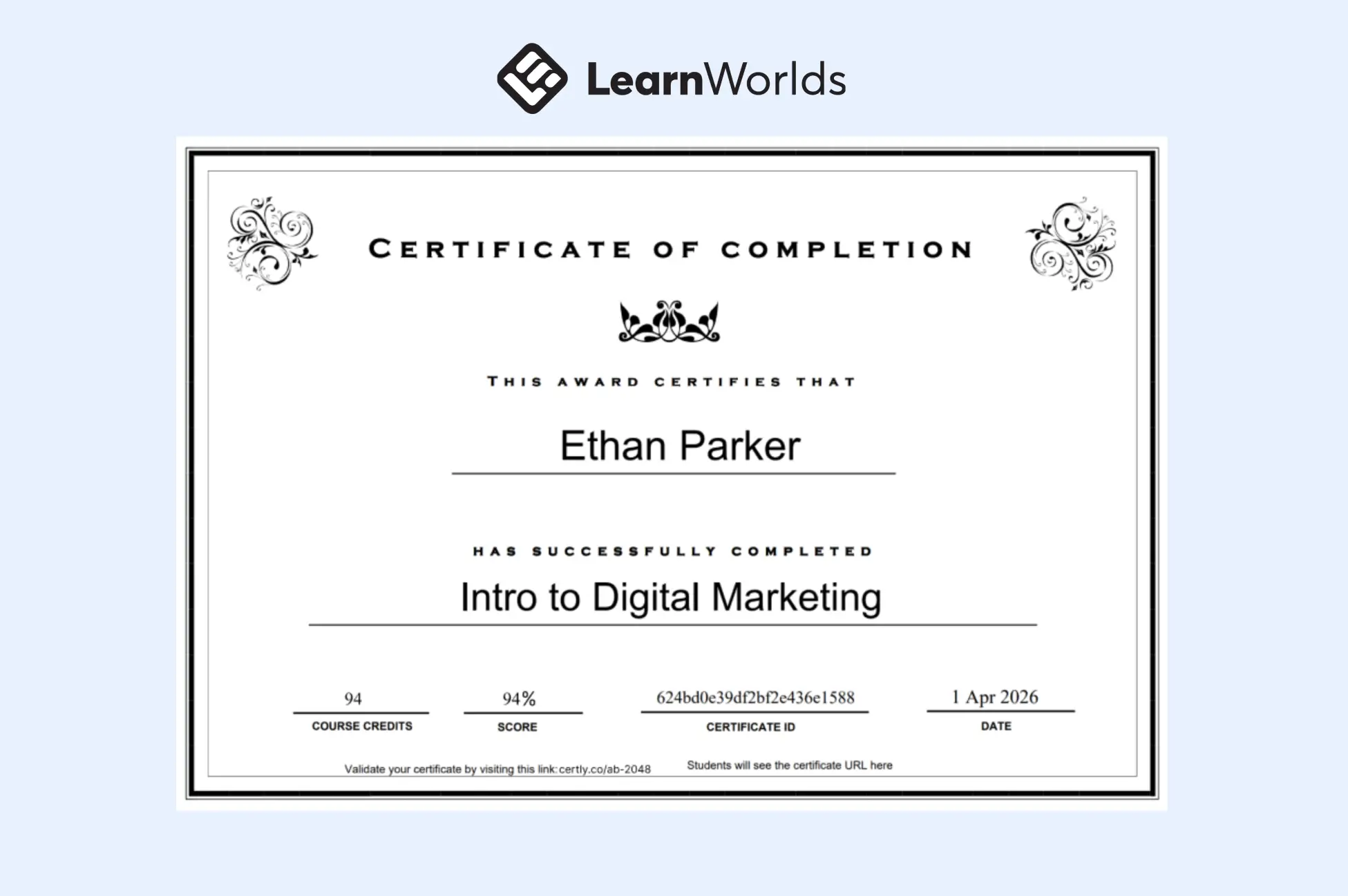
The default certificate template in LearnWorlds
LearnWorlds does offer downloadable PDF designs as starting points. But using them means opening the file in an external PDF editor (like Sejda or Adobe Acrobat Pro), manually adding fillable form fields with case-sensitive key names, keeping the file under 1 MB and uploading it to your school.
Uploading custom LearnWorlds certificate of completion templates also requires the Pro Trainer plan at $99/month or higher. Starter plan users can’t access this feature.
Regardless of which template you use, the output is a static LearnWorlds certificate of completion PDF.
There’s no QR code, no public verification page and no unique credential ID. If an employer wants to confirm that a certificate is authentic, there’s no simple way to do it.
LearnWorlds integrates with a couple of credential platforms, but most require enterprise budgets and complex setup. Certifier is designed to work for academies of any size, starting for free, with 250 credentials per year, full template access and built-in verification included from day one.
Now that you know where the native tools hit their limits, let’s look at what changes when you connect Certifier–an online course certificate maker.
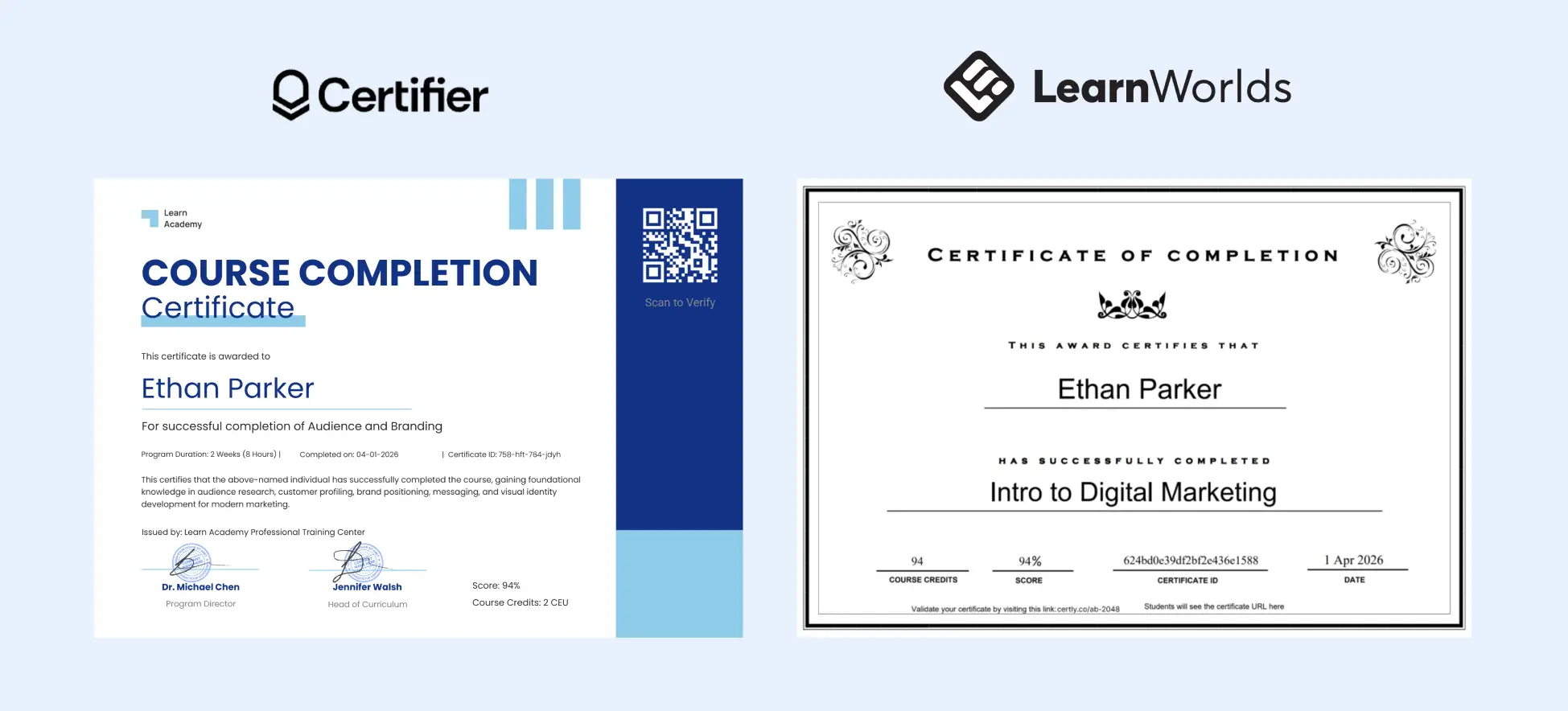
Certifier's certificate templates vs. the default LearnWorlds certificate template
LearnWorlds handles the learning experience, Certifier handles the LearnWorlds certificate experience. Together, they cover the full learner journey from enrollment to shareable proof of achievement.
Certifier’s drag-and-drop certificate builder gives you full control over your certificate’s look. Upload your logo, set brand colors and fonts, arrange text and visual elements, all inside the browser. No PDF editors, no case-sensitive field names, no file size restrictions.
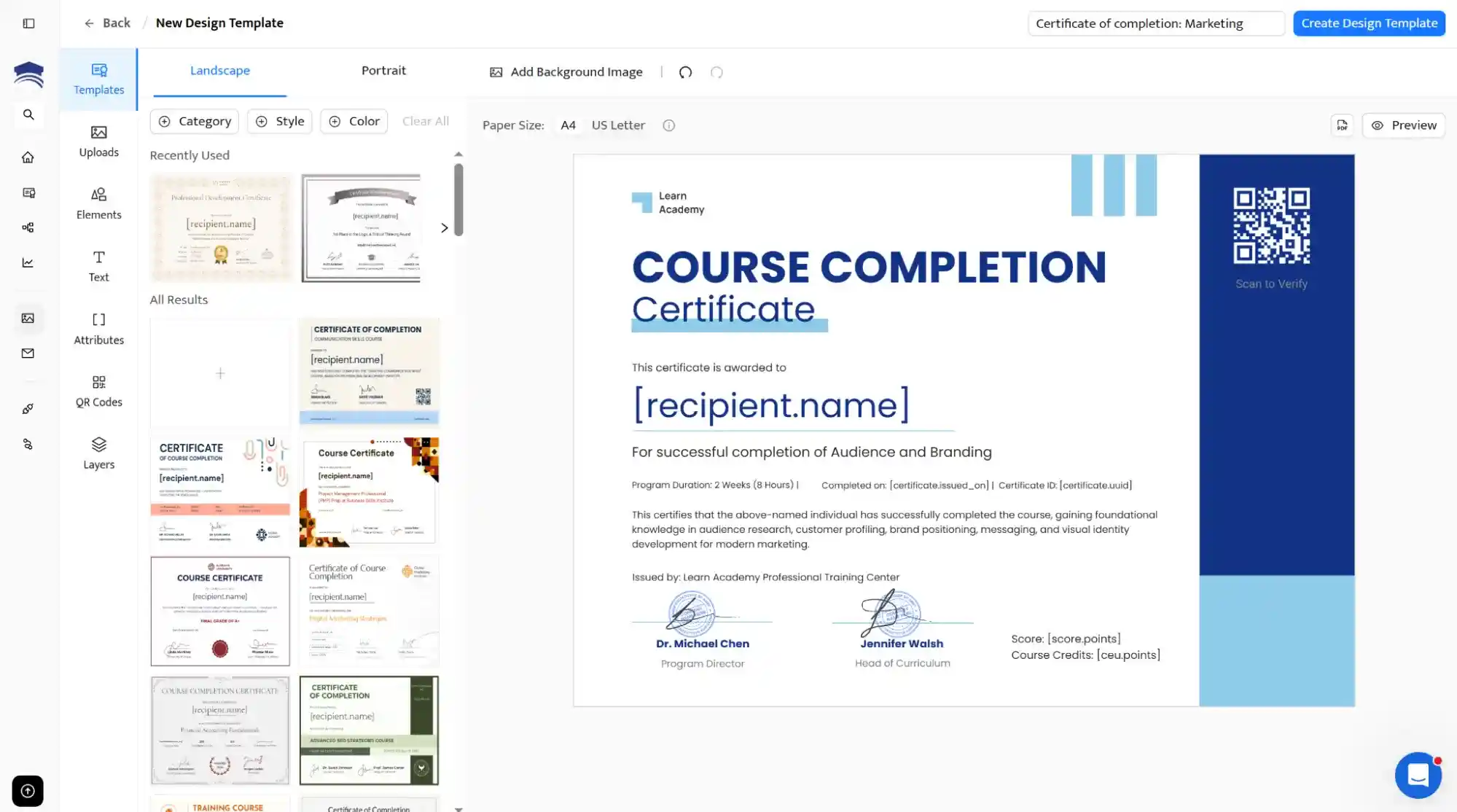
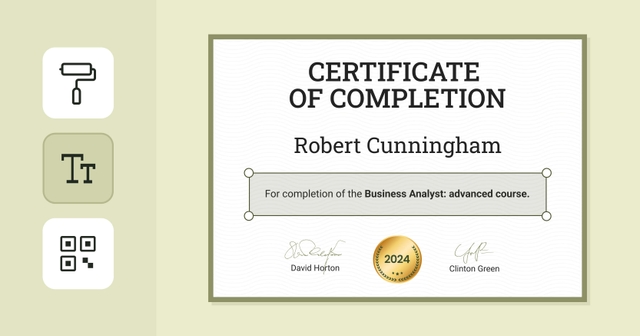
One of the certificate of completion templates available at Certifier
Don’t want to start from a blank canvas? Browse Certifier’s library of certificate of completion templates and pick one that fits your program. Customize it to match your branding and you’re ready to issue. Every template is available on the free plan.
Once connected through Certifier’s Zapier integration, certificates are sent automatically when a learner completes your LearnWorlds course.
No manual exports, no email attachments. The learner finishes the course and their LearnWorlds certificate of completion lands in their inbox within moments.
Every certificate issued through Certifier includes a unique credential ID, a QR code and a public verification page.
Recipients also get a digital credential wallet where they can download their credential or share it directly to LinkedIn, giving your academy organic visibility every time a learner posts their achievement.
Certifier’s free Starter plan includes 250 credentials per year with full access to the design tools, verification, social sharing and Zapier integration. No sales calls, no enterprise commitment. If your academy grows beyond that volume, paid plans scale smoothly.
Issuing better certificates t directly impacts how learners perceive your courses, how often they complete them and how much organic reach your academy gets.
Here’s what changes when you upgrade from a static LearnWorlds certificate of completion PDF to a branded, verifiable credential.
A polished certificate signals that the learning experience is serious and worth completing. Learners are more likely to finish a course when they know a professional credential is waiting at the end.
Every time a learner shares their certificate on LinkedIn, the course creators’ academy name, logo and branding reach their entire professional network. That’s free marketing you can’t buy.
Verifiable certificates with unique IDs and QR codes give employers and HR teams confidence that the credential is real. This is an important aspect for professional development, compliance and industry-specific training programs.
Recommended to read
Before connecting anything to Zapier (we will explain this process in the next section), you’ll want to create the actual certificate your learners will receive.
This section walks through Certifier’s design tools, from selecting a template to adding dynamic fields that automatically personalize each credential.
Head to Certifier and create a free account. It takes about a minute.
Issue first certificate in 10 minTry our digital credentials platform to generate your first batch of certificates.
Once inside, navigate to the Designs tab in the left sidebar.
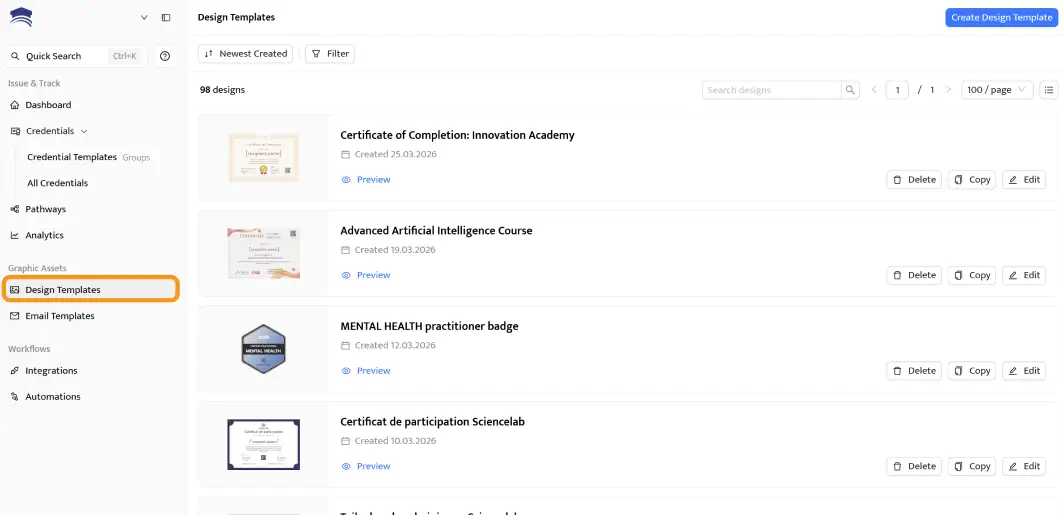
Browse the template library and filter by category. For LearnWorlds courses, you can look for templates under course completion or training.
You can also check out Certifier’s certificate template library. Every template is fully editable and available on the free plan.
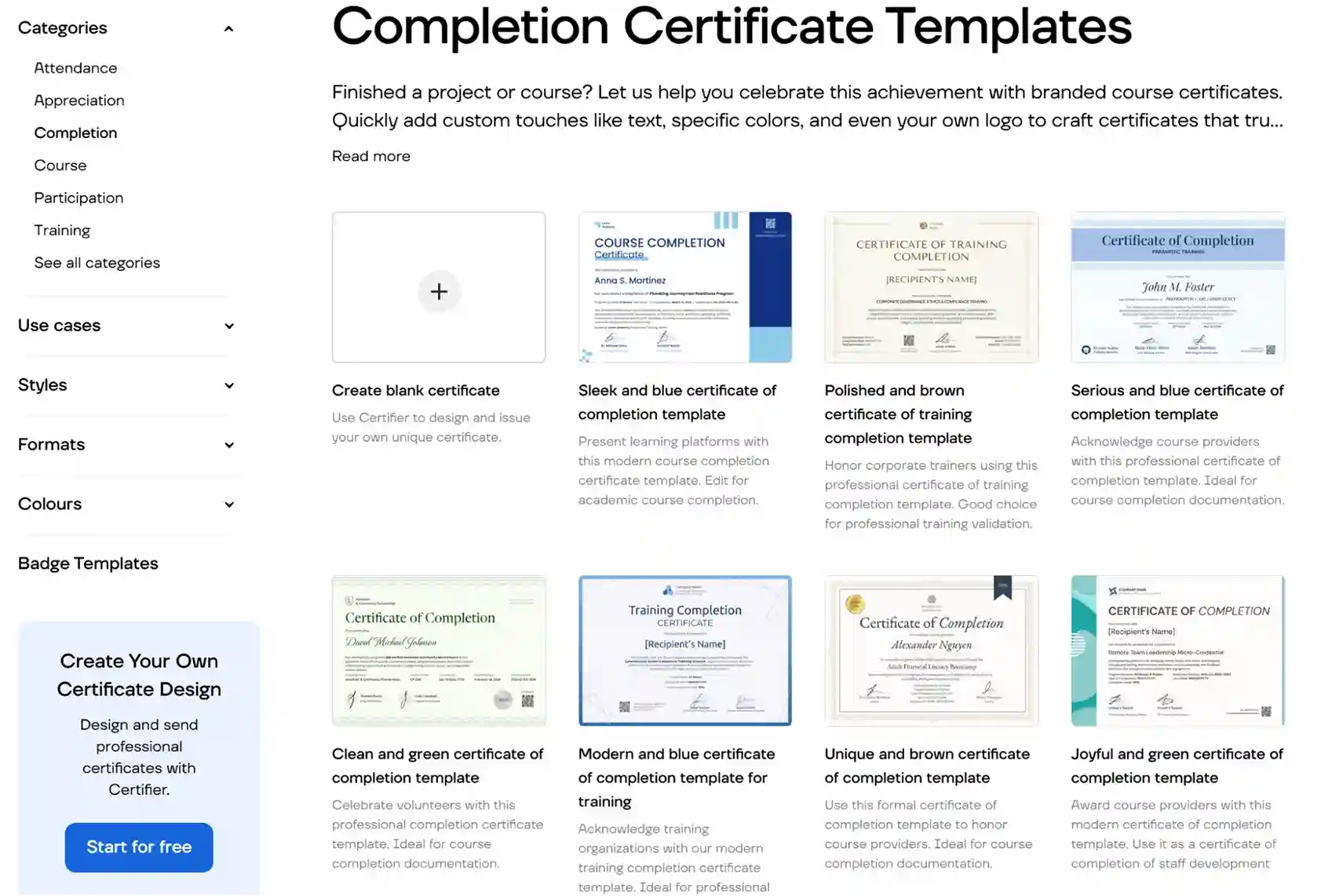
Need more options? Check out Certifier’s full collection of completion certificate templates for inspiration.
Open your chosen template in the drag-and-drop editor. From here you can:

Upload your logo and position it wherever you like
Set brand colors and fonts to match your LearnWorlds school’s visual identity
Edit text blocks: certificate title, subtitle, issuer details
Add visual elements like your logo, backgrounds, stamps or signature images
Certifier is a training certificate generator that lets you add a QR code for certificate verification. You can also use the QR code to direct users to any website of your choice.
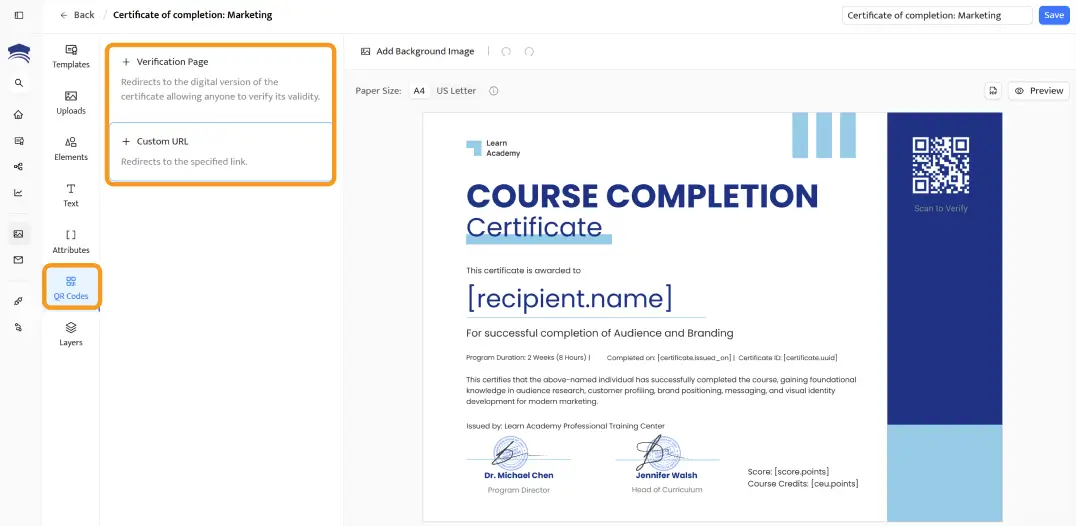
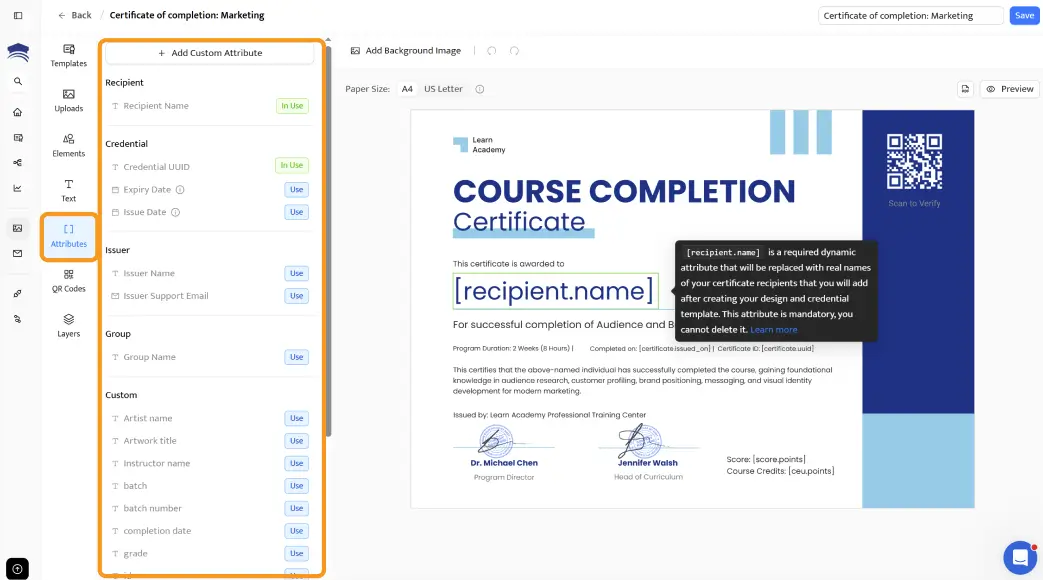
Dynamic attributes are placeholders that auto-fill with each learner’s data when the certificate is issued.
Insert fields for the recipient’s name, course title, completion date, unique certificate ID–anything you need.
When Zapier sends data from LearnWorlds, these fields populate automatically.
Learn more about using dynamic attributes in certificates for bulk credential personalization.
If you need more guidance on tailoring certificate of completion templates, you might find this guide helpful.
Recommended to read
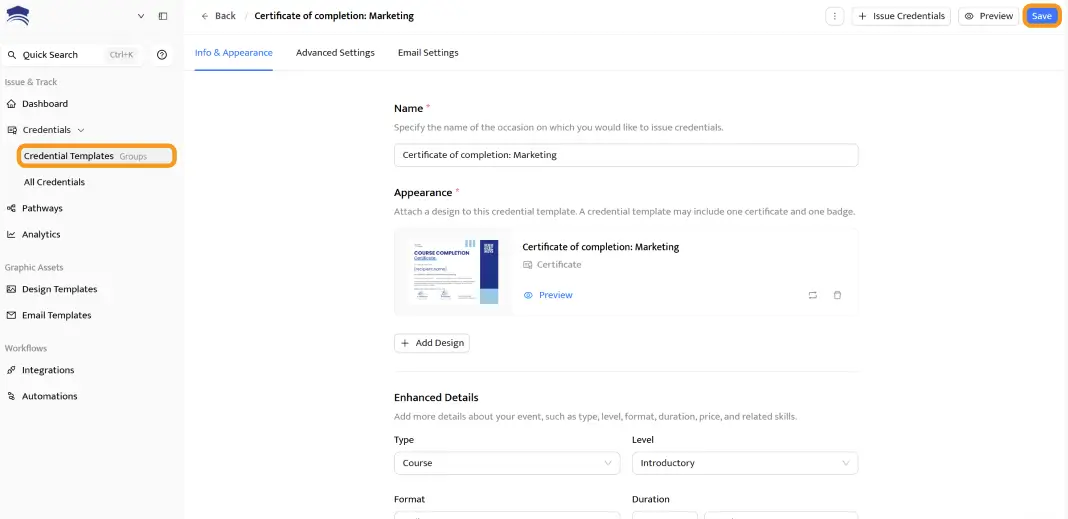
Save your design and create a credential group for it. You can do this in the Credential Templates tab (formerly Groups).
A group is just a container that links your certificate template to a specific automation. You’ll select this group when setting up the Zapier workflow in the next section.
Your certificate design is ready. Now let’s wire it up to your LearnWorlds courses.
The connection runs through Certifier’s Zapier integration, which means no coding and no complicated API setup.
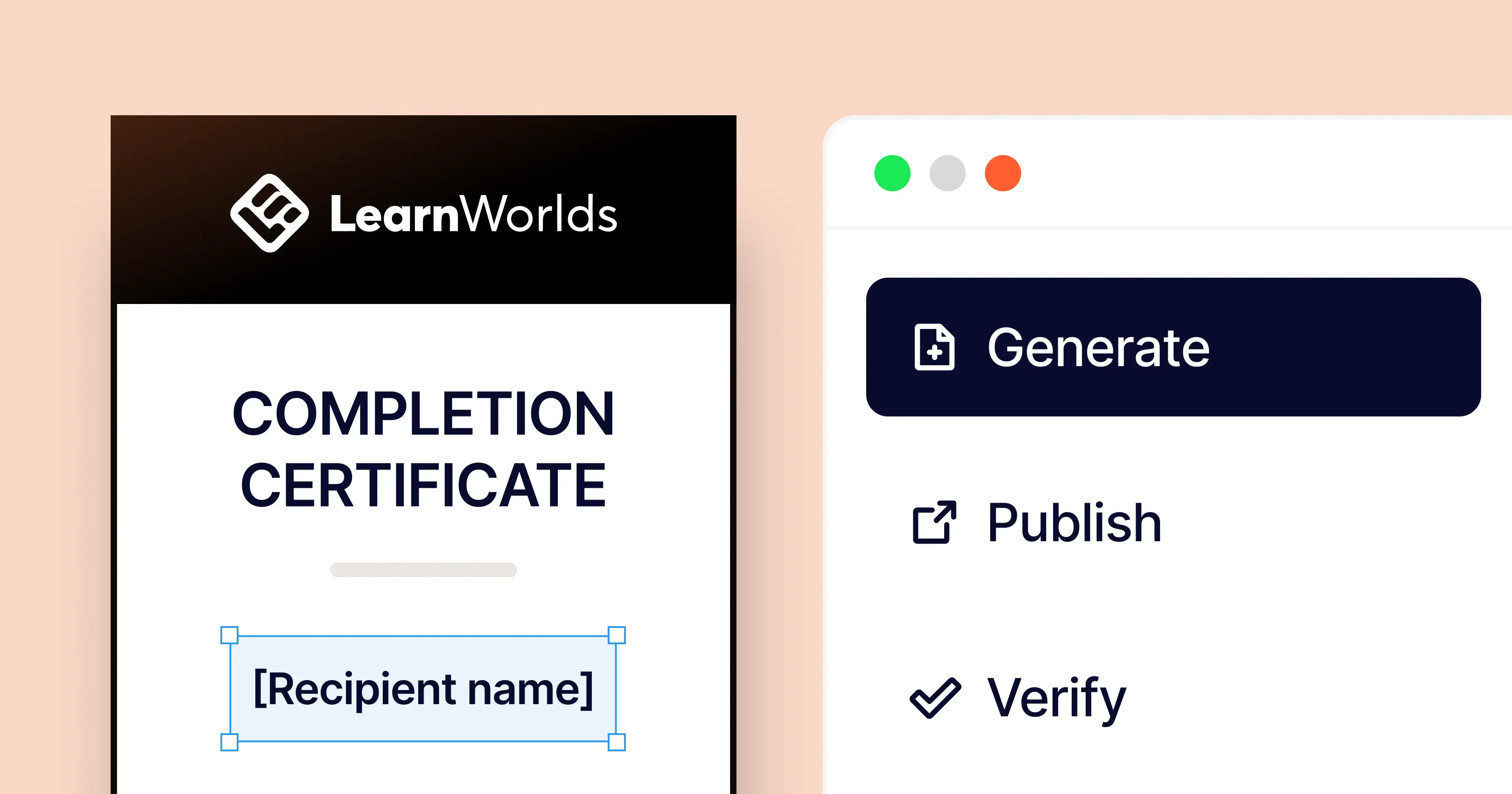
This is the core of the automation: LearnWorlds triggers the event, Zapier passes the data and Certifier issues the credential.

Go to zapier.com and log in (or create a free account)
Click + Create and then Zaps
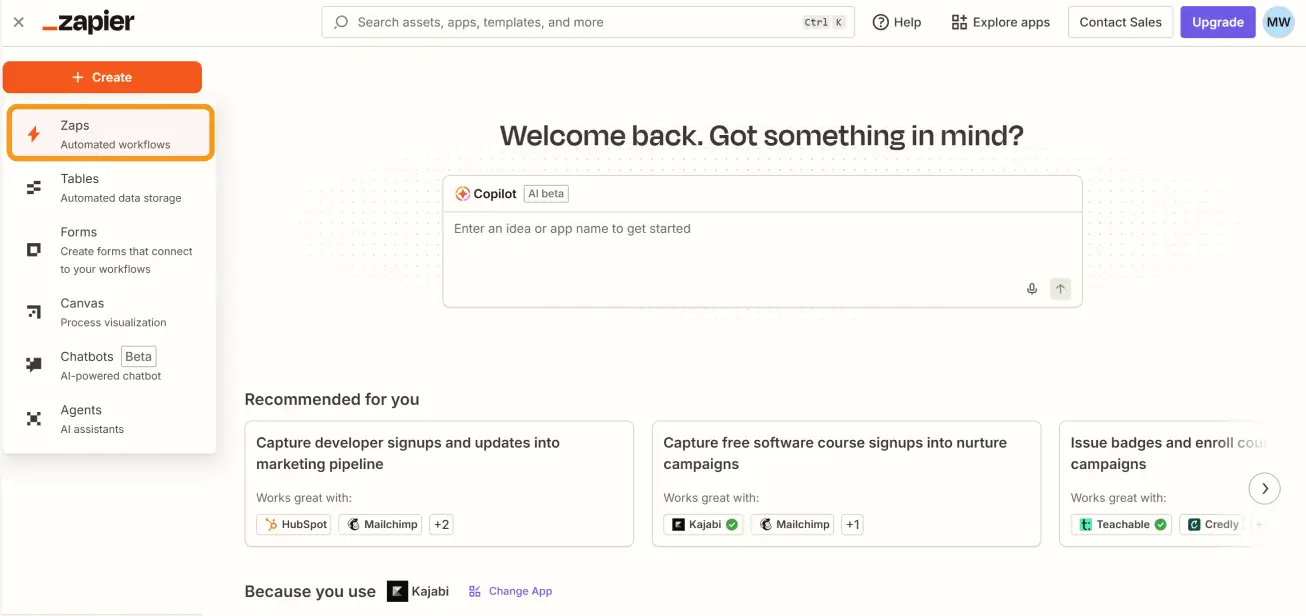
Search for LearnWorlds as the trigger app
Choose the trigger event: Course Completed
Connect your LearnWorlds account when prompted and select the course that should trigger the certificate
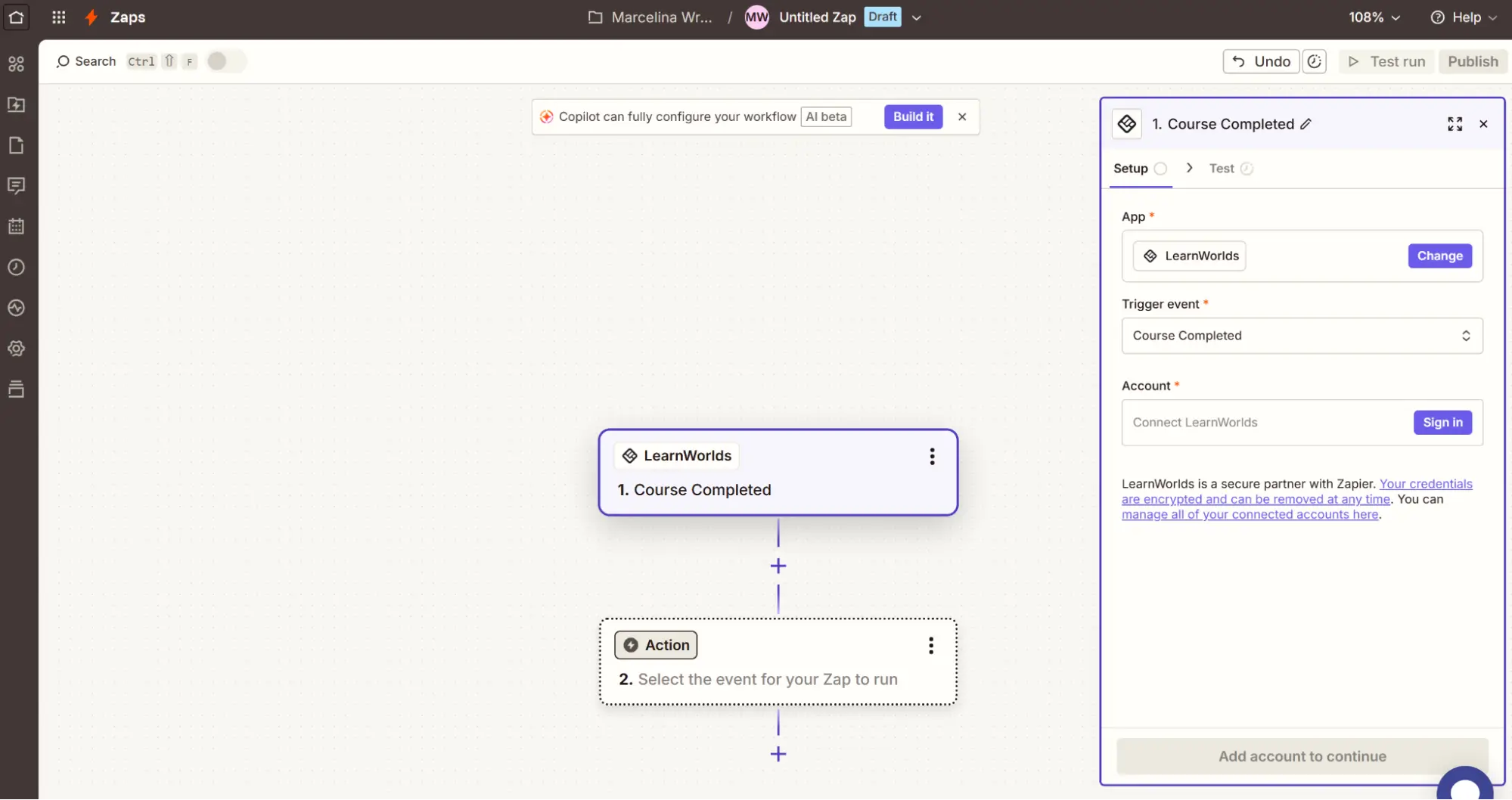
This tells Zapier to watch for completions on that specific course. Every time a learner finishes it, the Zap fires.
Search for Certifier as the action app
Choose the action: Issue Credential
Connect your Certifier account and select the credential group you created earlier
Zapier will ask you to map the data from LearnWorlds to Certifier’s certificate fields. Match the following:
Recipient Name–map to the learner’s name from LearnWorlds
Recipient Email–map to the learner’s email
Additional attributes–map course title, completion date and any other fields to the corresponding dynamic attributes on your certificate
Set both Issue Credential and Send Credentials to true. This ensures Certifier generates the credential and emails it automatically.
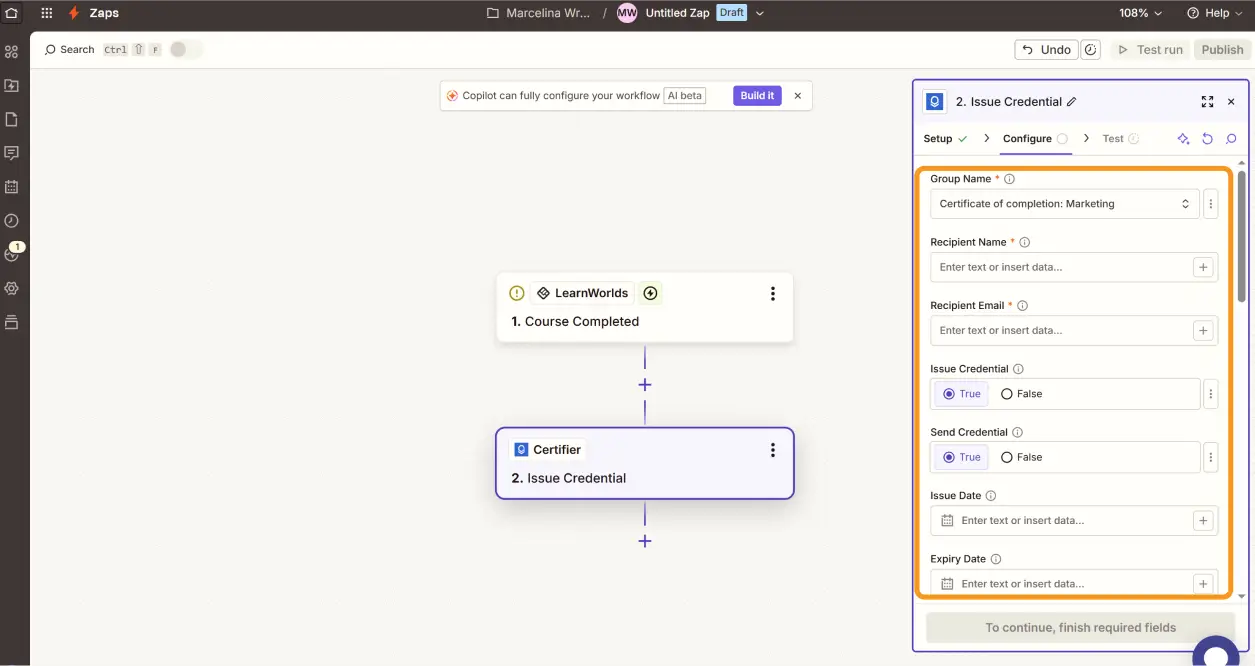
Run a test by completing the course yourself (or using a test learner in LearnWorlds). Zapier will pull the completion data and send it to Certifier. Check your inbox – you should receive a fully branded, personalised LearnWorlds certificate of completion within moments.
Verify that the dynamic fields populated correctly, the design looks right and the verification link works. If everything checks out, turn on the Zap. From this point, every course completion triggers an automatic certificate.
Watch the full Zapier integration walkthrough in this video tutorial on how to connect Certifier with other tools via Zapier.
With the automation running, let’s look at the experience from the learner’s side. This matters because a great LearnWorlds certificate doesn’t just prove completion, it becomes a shareable asset that promotes your academy.
The moment they complete your LearnWorlds course, learners receive a professional email with their certificate attached.
The email comes from your custom sending domain, so it looks and feels like it’s coming directly from your academy, not a generic third-party notification.
Do you know that you can track credential performance?
Certifier’s credential analytics show you who received, opened and shared their certificate. Use this data to understand which courses drive the most engagement and where learners are most likely to showcase their credentials publicly.
Psst! Remember to put your logo on a certificate. More shares = more brand recognition.
Every learner gets access to a digital wallet where their credentials live. From there, they can download the LearnWorlds certificate of completion PDF, view the verification page or share the credential directly.
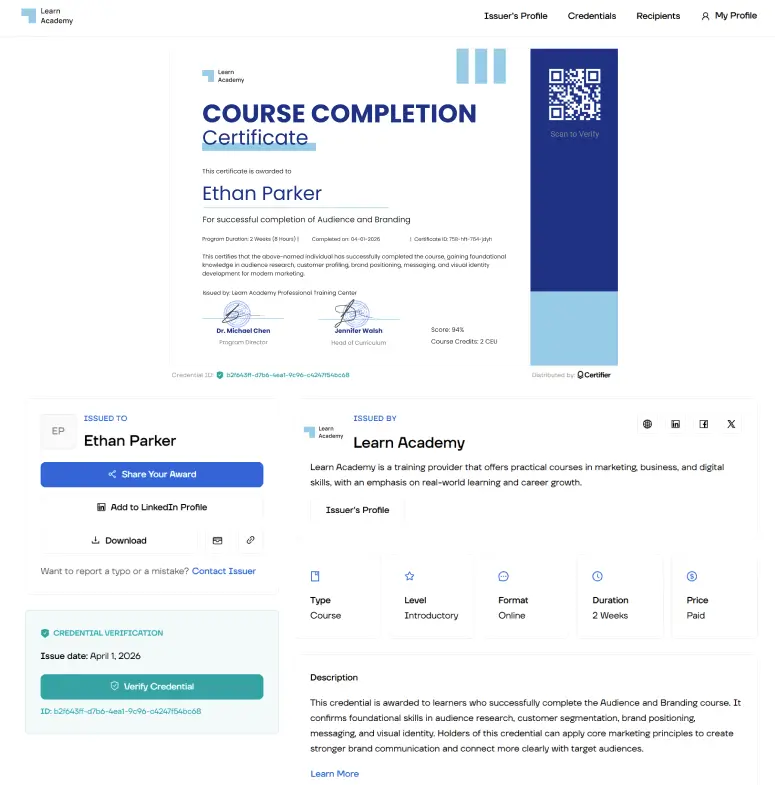
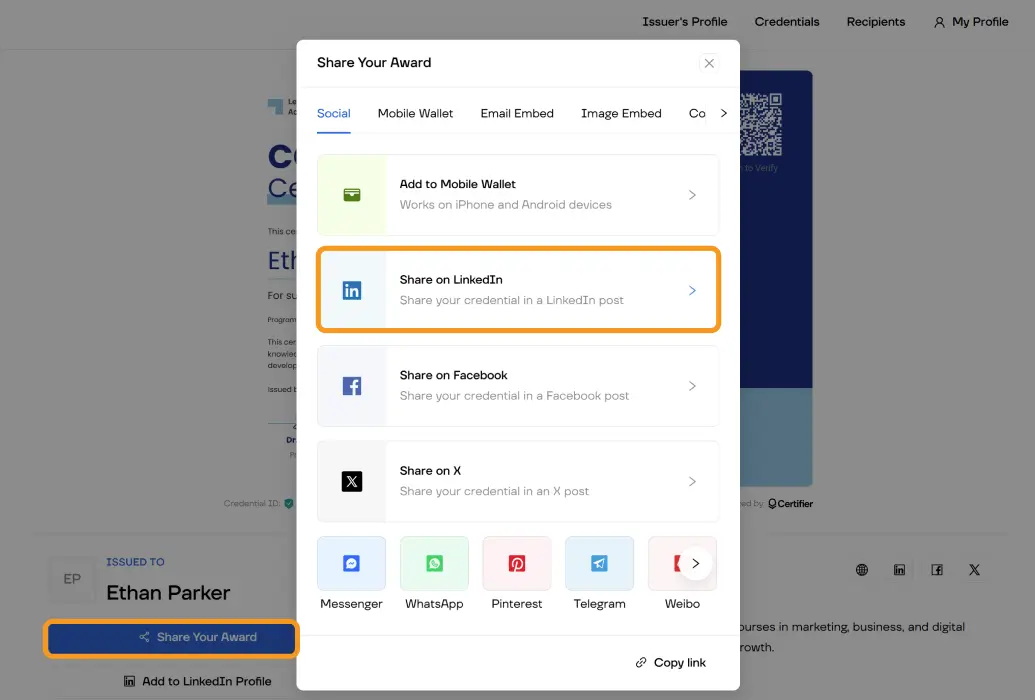
Learners can share their certificate on LinkedIn with a single click. Every share includes a link back to the verification page, which means their network can see the credential is authentic and your academy gets organic visibility with every post.
Your learners are putting in the work. They’re finishing courses, passing assessments and building real skills through your LearnWorlds academy. The certificate they receive should reflect that effort.
Certifier makes it easy to upgrade from a generic static PDF to a branded, verifiable LearnWorlds certificate of completion free–without changing your LMS, without touching a PDF editor and without an enterprise budget.
Connect via Zapier, design your certificate and let the automation handle the rest. Your first 250 credentials are free–create your account and get started.
Here are the questions we hear most from LearnWorlds creators looking to upgrade their certificates.

- Product Management
- Customer Research
- Digital Credentials
- Product Strategy
- Design Systems
Product Manager
Uliana leads product management at Certifier, using her UI/UX background to explain platform features and help organizations maximize their credentialing capabilities.